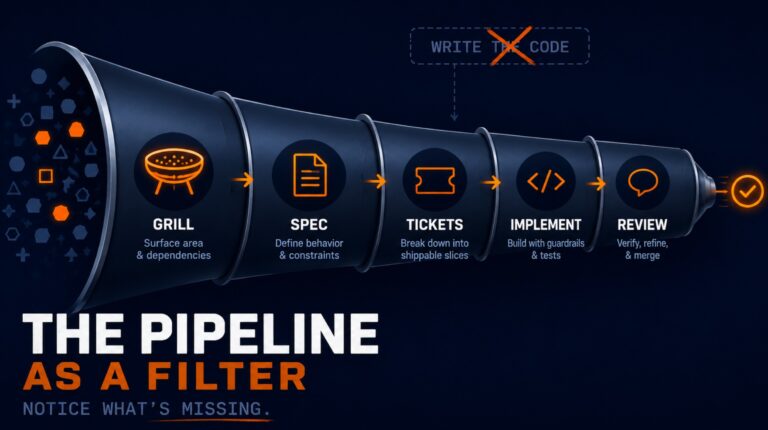
Why AI Coding Works in Some Projects and Fails in Others
Introduction
If you have been coding with AI for any meaningful amount of time, you have probably noticed something strange: the same AI tool can feel brilliant in one project and frustratingly useless in another.
That inconsistency leads many developers to blame the model, the prompts, or the tool itself. But in many cases, the real issue is neither the model nor the prompt. It is the codebase.
AI-assisted coding is heavily influenced by the technical environment it operates in. Clean architecture, strong feedback loops, and good engineering guardrails can dramatically improve the quality of AI-generated code. On the other hand, messy structure, unclear boundaries, and weak validation systems make AI much less reliable.
In this article, we will break down the factors that make AI coding succeed or fail, and how you can create an environment where AI coding tools produce better results.
AI-Assisted Coding Is a Pattern-Matching System
At a practical level, AI is a pattern matcher.
It learns from patterns in code and continues patterns it sees in the current repository. That means the quality of your codebase shapes the quality of the output.
A clean, well-structured codebase gives AI strong examples to imitate. A messy, inconsistent codebase teaches AI to reproduce those same problems.
Why this matters
When developers say an AI coding agent is “smart” in one project and “dumb” in another, what they are often seeing is not intelligence changing. They are seeing environment quality changing.
If your repository has:
- consistent naming
- clear module boundaries
- predictable file organization
- small, focused functions
- obvious places for business logic
then AI has a much easier time generating useful code.
If your repository is full of duplicated logic, mixed responsibilities, unclear abstractions, and inconsistent conventions, AI will mirror that confusion.
Why Clean Code Matters More in the Age of AI
Clean code has always mattered. But AI-assisted coding makes it even more important.
When humans work in messy systems, they can use judgment and context to compensate. AI cannot do that in the same way. It is much more dependent on the local patterns it sees.
Signs of a codebase that helps AI succeed
A codebase that supports AI well usually has:
- consistent project structure
- clear module boundaries
- strong separation of concerns
- reliable data flow
- small and readable functions
- stable conventions across files
These are not just good engineering practices. They are also the conditions that help AI coding tools navigate a repository effectively.
Clean design creates better outputs
A good design reduces ambiguity. When responsibilities are clearly separated and patterns are consistent, AI has fewer opportunities to make poor guesses.
This is one reason classic software design books are becoming highly relevant again for modern developers using AI tools. Books like A Philosophy of Software Design, Clean Code, and Refactoring help sharpen your ability to recognize good structure and identify weak design.
That matters because the better you are at spotting strong patterns, the better you can guide AI to follow them.
What to Do If You Are Working in a Messy or Legacy Codebase
Of course, not every team gets to start from a clean foundation. Many developers work in legacy systems or codebases with significant technical debt.
The good news is that improvement does not have to be all or nothing.
Use AI to improve the codebase itself
One useful strategy is to use AI not just to write features, but to improve architecture over time.
For example, architectural improvement tools and skills can help surface friction points, identify shallow abstractions, and propose refactors that make the code easier to test and easier for AI to navigate.
This does not eliminate the need for human judgment. In fact, human judgment becomes even more important. AI can suggest changes, but you still need to evaluate whether those changes improve the design in a meaningful way.
Your judgment is still the multiplier
No AI skill replaces your understanding of software design.
The more you understand clean code, modularity, and maintainability, the better you can direct AI-assisted coding toward useful outcomes. AI can accelerate your work, but it cannot replace engineering taste.
AI Needs a Fast and Reliable Feedback Loop
Even in a clean codebase, AI needs feedback.
Without feedback, AI will often continue in the wrong direction for too long. That is why fast validation systems matter so much.
The strongest feedback loop for AI coding usually includes:
- Test-Driven Development
- type checking
- linting
- regression tests
Together, these systems create a technical environment where AI can make progress quickly while being corrected early.
How TDD Improves AI-Assisted Coding
Test-Driven Development, or TDD, is especially effective when working with AI.
What TDD does
TDD follows a simple cycle:
- Write a test
- Watch it fail
- Write enough code to make it pass
- Refactor safely
This Red-Green-Refactor loop gives AI a clear target and an immediate signal about whether the implementation works.
Why TDD works so well with AI
AI coding tools perform better when the task is concrete and measurable. A failing test provides exactly that.
Instead of vague instructions like “implement this feature,” you give the AI a precise definition of done. That makes the work easier to validate and easier to refine.
TDD also encourages incremental progress. Rather than generating large amounts of speculative code, AI can move step by step with constant verification.
TDD becomes long-term protection
Another major benefit is that tests written during TDD do not just help with the current feature. They become regression tests for future changes.
That means each tested feature increases the safety of the codebase over time.
Why Type Checking Is One of the Best AI Guardrails
Type checking is one of the simplest and most effective ways to improve AI-generated code.
If you are writing application code without a type system, you are removing one of the best quality filters available to both humans and AI.
Why TypeScript helps
Type checking catches mistakes before code runs. It verifies that values are used in ways that make sense according to their declared types.
That has several benefits:
- bugs are caught earlier
- refactoring becomes safer
- code becomes easier to understand
- AI gets clearer constraints while generating code
For many JavaScript teams, moving to TypeScript is one of the highest-leverage improvements they can make if they want better AI coding outcomes.
Linting Helps Enforce Quality and Consistency
Type checking is not enough on its own.
Linting adds another layer of protection by enforcing conventions and catching suspicious or error-prone patterns that type systems do not cover.
What linting contributes
A good linter helps ensure that code is:
- consistent
- readable
- less error-prone
- aligned with team standards
This matters for AI because consistency improves pattern quality. If your repository enforces one clear style and one clear way of doing things, AI is less likely to generate code that feels out of place.
For JavaScript and TypeScript projects, ESLint remains one of the most practical tools for this.
Regression Tests Keep New Changes From Breaking Old Behavior
Writing a feature is only part of the job. You also need to make sure new code does not break what already works.
That is the role of regression testing.
Why regression tests matter for AI coding
AI can produce correct-looking code that unintentionally changes existing behavior. Regression tests catch those failures before they reach production.
That makes them critical when AI is involved in implementation.
If you already use TDD, many of your feature tests naturally become regression tests over time. This creates a growing safety net around the codebase.
Constraints Improve AI Coding Quality
A practical way to use all of these systems is to run them automatically after AI-generated changes.
For example, after AI writes or commits code, you can trigger:
- type checking
- linting
- unit tests
- regression tests
If something fails, the AI should fix the issue before continuing.
Why constraints are valuable
Developers sometimes think of constraints as friction. But in AI-assisted coding, constraints create quality.
They keep the agent inside useful boundaries. They reduce the chance of invalid code, inconsistent structure, or silent breakage entering the codebase.
A helpful analogy is bowling bumpers: constraints do not throw the ball for you, but they stop it from going into the gutter.
Key Takeaways
- AI-assisted coding is strongly influenced by the quality of the codebase
- AI is fundamentally a pattern matcher, so messy codebases teach bad patterns
- Clean architecture and consistent conventions help AI produce better code
- TDD gives AI clear targets and fast feedback
- Type checking acts as a powerful guardrail for AI-generated code
- Linting improves consistency and catches suspicious patterns
- Regression tests protect existing behavior as the codebase evolves
- Constraints are not the enemy of AI productivity; they are what make it reliable
Conclusion
If AI coding feels inconsistent, the answer is often not to switch models or keep rewriting prompts. The better place to look is your technical environment.
A clean codebase gives AI better patterns. TDD gives it clear goals. Type checking, linting, and regression tests give it fast feedback and strong guardrails.
When those pieces are in place, AI-assisted coding becomes far more reliable.
The model still matters. Prompts still matter. But the environment around the AI often matters more than most developers realize.