AI-assisted coding tips: 10 Claude Code lessons, fact-checked
I watched Aleksander Stensby’s talk “10 tips to level up your AI-assisted coding” from NDC Copenhagen 2026 and wanted a written version I can come back to. It’s a dense hour. He admits up front that it isn’t really ten tips, more like forty crammed into ten buckets, and he runs out of time at the end.
So this is my reference copy. I kept his structure, added the exact commands and config, and checked every specific claim against current docs and primary sources in November 2026. Most of it holds up. A few things are wrong or have gone stale since the talk was recorded, and I flag those inline with Fact check. Examples are Claude Code specific, but most of the ideas carry over to Codex and Copilot.
Quick reference
| Command or setting | What it does |
|---|---|
/context | Shows what’s filling your context window |
/statusline | Builds a custom status line, e.g. a context “battery” meter |
/init | Generates a starting CLAUDE.md for the repo |
/compact focus on X | Compacts now and tells the summary what to keep |
/goal <condition> | Keeps working across turns until a separate model judges the condition met |
/insights | HTML report on your last 30 days of sessions, with CLAUDE.md suggestions |
/loop, /schedule | Repeat a prompt in-session, or create a cloud routine |
disable-model-invocation: true | Skill runs only when you type its slash command |
user-invocable: false | Skill hidden from the / menu, Claude-only |
context: fork | Skill runs in an isolated subagent |
!`command` in a skill | Runs the command and injects its output before Claude reads the skill |
Tip 0: Treat it as a pair programmer, and make it compound
His first point is about mindset, not tooling. If you hand off a task and accept whatever comes back without reading it, he thinks you’ll get dumber over time. If you stay in the loop and ask the agent to explain what it did, this is the best time ever to learn a new stack. He’s built Swift and Rust apps without having written either language by hand, by telling Claude his background and asking it to teach him as they went.
The second idea is compound engineering: every session should make the next one better, so you stop hitting the same mistakes. The simplest version is telling the agent, after a painful debugging session, “reflect on what we just did and make sure this never happens again.”
Fact check: Correct. The term comes from Every. Kieran Klaassen, GM of Cora at Every, is credited as the creator of the methodology, and he describes it as a four-step loop: plan, work, review, compound. Every also publishes a compound-engineering plugin on GitHub.
The third idea is a habit he picked up from Boris Cherny, who created Claude Code: before asking “when will it be able to do X”, just ask Claude to do X. If you’re new, start with “I still write my own code. Give me five ways you can help me.”
Tip 1: Context is king, and it’s a budget
The agent can’t read your mind. You don’t need prompt engineering tricks anymore, but you do need to point it at the right files so it doesn’t burn tokens exploring the whole repo. And use images. A screenshot with a circle drawn on it beats a paragraph describing “the button down there.”
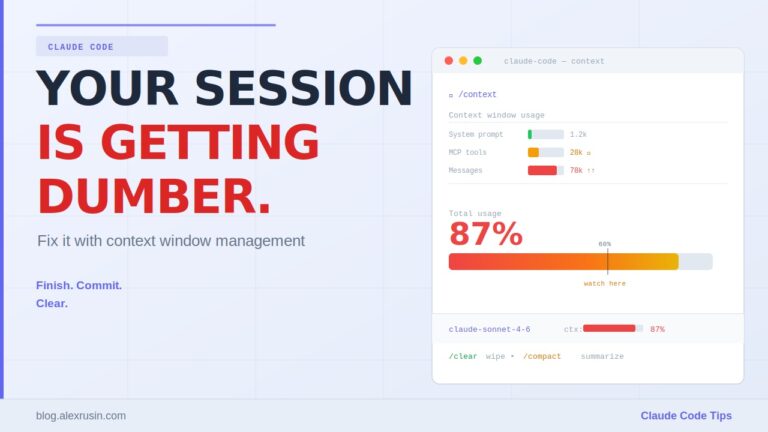
He describes the context window as a glass. Everything fills it: your prompts, every response, tool definitions, CLAUDE.md, loaded skills. His rules:
- Start a fresh session for every new task.
- Watch usage with
/context, or ask/statuslineto show context as a battery indicator. I walk through a status line setup in Claude Code setup you do once and use forever. - Around 70-80% full, quality drops. Don’t let auto-compaction decide what survives.
- Take control instead: ask the agent to write progress to a file, start a new session, and tell it to continue from the file. Turn that into a skill so it’s one command.
- Use subagents for big tasks, since each one gets its own context window.
Fact check on the 1M window: Correct. Anthropic made the 1M-token window generally available for Opus 4.6 and Sonnet 4.6 on March 13, 2026, at standard pricing, and Claude Code Max, Team and Enterprise users default to it. Before that, 200K was the norm.
Fact check on the 70-80% number: He says himself there’s no hard number, and he’s right to hedge. I couldn’t find a source for that threshold. The direction is well supported though. Chroma’s “Context Rot” report tested 18 models and found performance gets less reliable as input grows, even on simple tasks. Treat 70% as a personal rule of thumb, not a measured cliff. With a 1M window, you’ll likely want to reset well before 70%.
Fact check on what survives compaction: Mostly correct, with useful detail he skipped. Per the Claude Code docs, the project-root CLAUDE.md and unscoped rules are re-read from disk after compaction. Skills you invoked come back, but capped at 5,000 tokens per skill and 25,000 tokens total, oldest dropped first. The listing of skills you never invoked doesn’t come back at all, so after compaction Claude can stop routing requests to skills it no longer knows about. Nested CLAUDE.md files and path-scoped rules reload only when Claude reads a matching file again. If you compact manually, /compact focus on the auth refactor tells the summary what to keep. I go deeper on monitoring, compacting and clearing in my Claude Code context window guide.
Tip 2: Own your rules files
CLAUDE.md or AGENTS.md is where compounding actually lives. Memory features are improving, but he wouldn’t rely on them alone. His advice:
- Don’t copy “the best CLAUDE.md” from the internet. Run
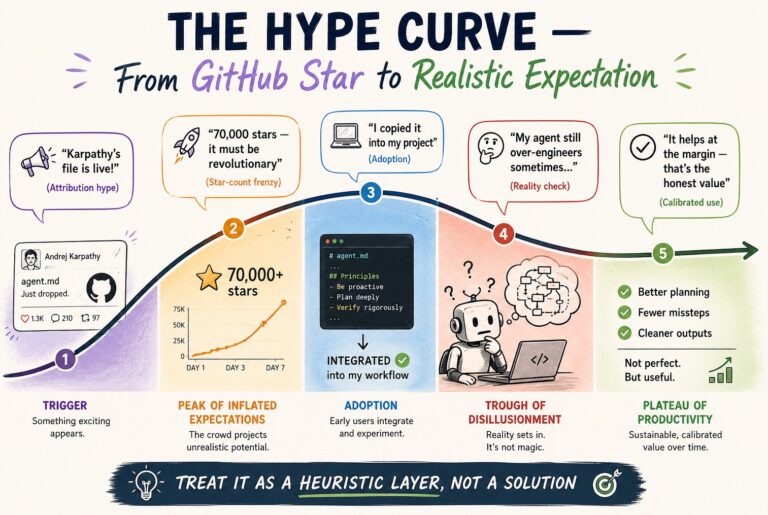
/init, then talk through your preferences and let the file grow from real sessions. I took apart the viral Karpathy CLAUDE.md for the same reason. - Keep it trimmed. It’s not a one-off. My Claude Code instructions and memory guide shows how to split rules across files so the main one stays small.
- When a new model ships, have the agent review the whole file, or throw it away and see what the model does without it. Rules that patched last year’s weaknesses can hold back this year’s model.
Review my CLAUDE.md. Propose anything we should trim, optimize, remove or add,
given what you can already do without being told.
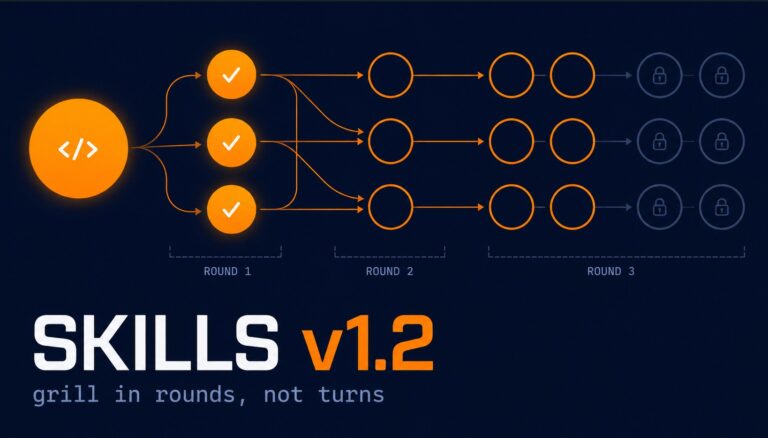
One prompting trick from this section I use constantly: start with a lazy prompt, then add “What context is missing for you to do this well? Interview me.” Let the model pull the details out of you instead of front-loading a giant prompt. Matt Pocock’s “grill me” skill packages the same idea, and I break it down in Matt Pocock’s AI coding workflow explained.
Tip 3: Invest in skills
His answer to “what should I learn in 2026” is skills. A skill is a folder with a SKILL.md file, and it can bundle templates and scripts. The scripts are the point: they give you deterministic behavior from a nondeterministic model. I show a skill that bundles scripts in Extending Claude Code: hooks, skills, bundled commands, and headless mode.
His reason to invest is portability. Skills aren’t locked to one vendor.
Fact check: Correct. Anthropic released Agent Skills as an open standard in December 2025, with the spec at agentskills.io. Codex, Gemini CLI, GitHub Copilot, Cursor and many others now read SKILL.md files. Claude Code also merged the old commands directory into skills, so every skill is a slash command by default, as he says.
Context injection with !
A ! followed by a backticked command runs before the model sees the skill, and the output is pasted in. Example:
---
name: pr-summary
description: Write a pull request description for the current branch
disable-model-invocation: true
---
## Current state
- Branch: !`git branch --show-current`
- Recent commits: !`git log --oneline -5`

Write a PR description from the commits above.
One gotcha I found while checking this: if the skill gets re-attached after compaction, it carries the original command output, not fresh output. Re-invoke it if the state matters.
How to write and invoke them
- Keep skills small and focused, then chain them. A skill can reference other skills.
- Write a skill by doing the work with the agent first, correcting it until you’re happy, then saying “turn this into a repeatable skill.”
- Rule of thumb: if you’ve done it twice, it’s a skill.
- Invest in the description. At startup only names and descriptions load. The body loads when the skill is used.
Auto-invocation is unreliable, so he uses two frontmatter fields. disable-model-invocation: true means only you can run it. user-invocable: false hides it from the / menu so only Claude can use it. A side benefit I found in the docs: manual-only skills don’t load their description at startup, which saves context. Don’t set both fields on one skill, or nothing can invoke it.
For skills you want used every time, he also names them in CLAUDE.md (“always use the X skill when Y”) and says benchmarks show this gets you to 100% invocation.
Fact check: overstated. The benchmark he’s almost certainly referring to is Vercel’s January 2026 eval on Next.js 16 APIs. There, skills went unused in 56% of cases. Adding explicit instructions to AGENTS.md raised the trigger rate to 95%+ and the pass rate to 79%. The 100% pass rate came from something else: embedding a compressed 8KB docs index directly in AGENTS.md, no skill involved. Vercel also noted that small wording changes in the instruction swung results a lot. So mentioning a skill in your rules file helps a lot, but it’s not a guarantee. If something must happen every time, use a hook (tip 8).
Tip 4: Start every task with a plan
Use plan mode before any task. It’s read-only, so it’s also a safe way to let the agent explore a codebase. Current models will interview you in plan mode using the AskUserQuestion tool. If you’re not using agents yet, have a chat model write the plan and paste it into whatever you use. I compared the main options in Claude Code planning tools: plan mode vs Grill Me vs Superpowers.
As we write less code, the description of what to build becomes where we’re still in control. PRDs, spec kits, whatever. He doesn’t care about the format as long as the plan covers architecture and implementation steps, not just scope. The more specific the plan, the more often the agent one-shots it.
Then a counterweight I liked: sometimes hold back your preferences at the start. Models agree too easily. If you open with “I’m thinking X, what do you think?”, you’ll get “great idea” and the model goes down your path, even if your experience is the thing blinding you to a better one.
The bottleneck moved
His one philosophical slide: our tools and processes were built for a world where writing code was the bottleneck. If that’s mostly solved, the bottleneck moves in both directions. Upstream, it’s describing and designing work fast enough to keep the agents fed. Downstream, it’s evaluating, testing and giving feedback. He asks whether our team processes should change to match, and I think that’s the most important question in the talk.
For the upstream side, stop accepting 600-line markdown plans you didn’t read. Ask for the plan as an interactive HTML page instead, with diagrams, options side by side, and a way to give feedback.
He also recommends the brainstorming skill from the Superpowers plugin, while warning that the full plugin is token-hungry and can be overkill. Fact check: Correct. Superpowers is obra/superpowers on GitHub. Its brainstorming skill can offer a “visual companion”, a small local Node server that shows mockups and alternatives in the browser while it interviews you. His advice is to borrow the idea and have your agent build your own version rather than install everything. I make the same case in why you should stop using other people’s AI skill libraries.
Tip 5: Give the agent the tools to check its own work
If you want the agent doing your job, it needs the tools you use to do it. When it says “it’s running, go test it”, the answer is “no, you test it.”
- Browser access.
/chromein Claude Code, Codex’s built-in browser, or the Chrome DevTools MCP, which also exposes the console and network traffic. - Agentation. A dev-only overlay for React and Next.js apps (benjitaylor/agentation) that lets you click and annotate DOM elements and send the result back to your agent. It also ships an MCP server so annotations sync automatically. Not on React? His point is to ask Claude to build the same thing for your stack. It took him about five minutes. I use a similar point-instead-of-describe loop in throwaway UI prototypes.
- /goal. Define the finish line instead of the steps, and a separate evaluator checks whether you’ve reached it after each turn.
Fact check on /goal: Correct, both tools have it. Codex CLI added it in 0.128.0 in April 2026. Claude Code added it in v2.1.139 on May 11, 2026, where a small fast model checks the condition after each turn. Write conditions the evaluator can actually verify:
/goal npm test exits with code 0 and npm run build has no TypeScript errors“Fix the code” is not a goal. /goal clear stops it. I cover /goal alongside /rewind, /btw and other commands in Claude Code daily workflow commands most people skip.
Tip 6: Use the best model
This used to be “use the right model.” He changed it. The gap between the top model and the next one is big enough that the savings disappear in extra iterations and fixes. Stensby even tells the audience to argue with their employer for a bigger token budget.
I’d push back a bit here. He offers no numbers, and his own “every subagent has its own context” advice means a lot of work is grunt work like searching files and running tests, where a smaller model is fine. Use the best model for the main thread and for planning. Measure before you assume it pays for itself everywhere.
Tip 7: Delegate to subagents
Subagents get their own context windows, so you can push a lot more work through one session. You can define reusable specialist agents, or just say “use subagents to process all of these files” and let it batch the work in parallel. You can also chain them, feeding one agent’s output into the next. For a full plan, TDD and review pipeline built this way, see my structured multi-agent workflow.
He then says context: fork in a skill’s frontmatter passes the main thread’s context into the subagent, so the subagent knows everything you discussed.
Fact check: this is backwards. Per the Claude Code docs and every reference I checked, context: fork runs the skill in an isolated subagent that does not see your conversation history. Only the result comes back to the main thread. That’s the whole point: keep heavy work out of your main context. If the forked skill needs facts from the conversation, put them in the skill’s arguments or write them to a file first. You can pick the subagent type with agent: (for example Explore or Plan).
Tip 8: Hooks are guardrails, rules are suggestions
“Never run rm” in CLAUDE.md is a request. A hook is code that runs outside the model, so it’s a guarantee. The one he’d start with is PreToolUse, which runs before every tool call and can block it.
// .claude/settings.json
{
  "hooks": {
    "PreToolUse": [
      {
        "matcher": "Bash",
        "hooks": [{ "type": "command", "command": ".claude/hooks/block-rm.sh" }]
      }
    ]
  }
}
#!/bin/bash
# .claude/hooks/block-rm.sh: exit code 2 blocks the call and sends stderr to Claude
cmd=$(jq -r '.tool_input.command')
if echo "$cmd" | grep -qE '(^|[;&|[:space:]])rm[[:space:]]'; then
echo "rm is blocked in this repo. Move files to ./trash instead." >&2
exit 2
fi
exit 0That’s a sketch. A determined model can still delete files other ways, so pair it with permission rules. Watch the exit code too: a hook that exits 1 only shows an error and Claude carries on. I explain the exit 2 wrapper in why your Claude Code hooks ignore failing checks. Hooks also work for non-security jobs, like running the linter every time a file changes. Skills can define their own hooks too. To get started, ask your agent: “Give me five places hooks would help in this codebase.”
He ties this to the Ralph Wiggum loop: a hook that fires when the agent tries to stop and tells it to keep going. Fact check: Correct in spirit. The technique is Geoffrey Huntley’s, originally a plain bash loop. Anthropic’s official ralph-wiggum plugin implements it with a Stop hook that blocks the exit and feeds the same prompt back until a “completion promise” string appears in the output. Set a max-iterations cap. Newer models also quit early less often, and /goal now covers much of this without a plugin.
Tip 9: Close the loop at the end of every session
His end-of-session habit is a skill that asks the agent to reflect on the session and record what it learned. A few details that matter:
- Put learnings in a separate file (a LEARNINGS.md or rule files) and point CLAUDE.md at it, so CLAUDE.md stays small.
- Commit both. A rabbit hole you lost an afternoon to is project knowledge your teammates shouldn’t have to rediscover.
- Ask the agent to find patterns in your codebase and turn them into skills: how you write tests, PRs, reviews.
And run /insights. Only three hands went up in his room. Fact check: Correct. It shipped in early February 2026. It reads your last 30 days of local session transcripts from ~/.claude/projects/ and writes an HTML report to ~/.claude/usage-data/report.html. It points out friction, repeated instructions worth turning into skills, and ready-to-paste CLAUDE.md rules. As he notes, it can suggest hook config but can’t apply it, because the agent isn’t allowed to edit its own settings. You paste that in yourself.
Tip 10: Be picky about tools
Don’t install every skill in the marketplace (someone in one of his workshops did). For developers, prefer a CLI over an MCP server when both exist. Tell Claude “you have gh” and it’ll figure it out.
His reasoning was that the GitHub MCP loads around 70 tool definitions into context before you’ve said hello.
Fact check: outdated. That was true in 2025. Claude Code now defers MCP tool schemas by default through Tool Search: at startup only tool names and server instructions load, and a tool’s full schema loads when Claude actually needs it. You can force a server to load eagerly with "alwaysLoad": true. Check /context to see what you’re actually paying for. I’d still prefer the CLI, but for a better reason: models already know gh and git well, and output is easy to pipe and filter.
His security warning still stands and matters more than the token argument: if you’re logged into the Azure or AWS CLI in your terminal, your agent can do everything you can. Scope credentials before you give an agent a shell. I lay out the permission boundaries for this in managing AWS with AI: from risky to safe.
Bonus: Release the agents
Once agents produce working code, you end up waiting on them, and there’s only so much coffee. So run them in parallel. His sweet spot is seven agents on one screen. He also admits it got addictive enough that his wife didn’t love Remote Control on the sofa. Parallel agents also fail in predictable ways, which I covered in 5 agent coordination failures and how to fix them. The tools he mentions:
- Git worktrees, now built into Claude Code, so parallel sessions don’t collide in one repo. Superpowers has a worktree skill for agents without native support.
- Resume sessions later, since they’re saved to disk.
- GitHub issues: comment “@claude fix this” and let it run. He does a few every night while brushing his teeth.
- Scheduling:
/looprepeats a prompt inside a running session. Desktop scheduled tasks run on your machine while it’s awake. Cloud routines, created with/scheduleor at claude.ai/code/routines, run on Anthropic’s infrastructure against a fresh clone of your repo, so your laptop can be closed. - Monitor tool: “start my dev server and monitor it for errors.” Claude watches the output and wakes up only when something matches, instead of polling. It shipped in Claude Code v2.1.98 in April.
- Dynamic workflows: Claude writes a JavaScript orchestration script and runs up to 1,000 subagents from it. This launched as a research preview on May 28, 2026 and needs v2.1.154 or later. Trigger it with the word “ultracode” in a prompt, by asking for a workflow, or with
/effort ultracode. Manage runs with/workflows.
His last tip is worth its own line. Agents solve problems the way a human developer would, so ask for sentiment analysis and you’ll get a regex. Remind it that it can call Claude inside the solution. He also adds “you are not human, you are Claude” to AGENTS.md so it stops estimating four weeks for something it finishes in five minutes.
What I’d take away
Three things are worth doing this week: run /insights, add an end-of-session reflection skill, and put one PreToolUse hook on whatever you’re most afraid the agent will do. Those are cheap and they compound.
Where I’d be careful: the talk is light on evidence. The 70% context threshold, “100% skill invocation”, and “the best model always pays for itself” are all stated more confidently than the data supports, and the context: fork explanation is wrong. That’s not a knock on the talk. This stuff changes monthly, and two of the stale claims were true when he wrote the slides. It’s a reminder to check the docs for anything you’re about to build on.
Credit and sources
All tips and the structure come from Aleksander Stensby’s talk at NDC Copenhagen 2026. Watch the full talk here: 10 tips to level up your AI-assisted coding (NDC Conferences on YouTube). The fact checks and opinions are mine.
- 1M context is now generally available for Opus 4.6 and Sonnet 4.6 (Anthropic)
- AGENTS.md outperforms skills in our agent evals (Vercel)
- Context Rot: How Increasing Input Tokens Impacts LLM Performance (Chroma)
- Scale with MCP Tool Search (Claude Code docs)
- Compound engineering: the definitive guide (Every)
- obra/superpowers and benjitaylor/agentation (GitHub)
- Codex CLI 0.128.0 adds /goal (Simon Willison)