Logout From All Devices in Node.js on Password Change
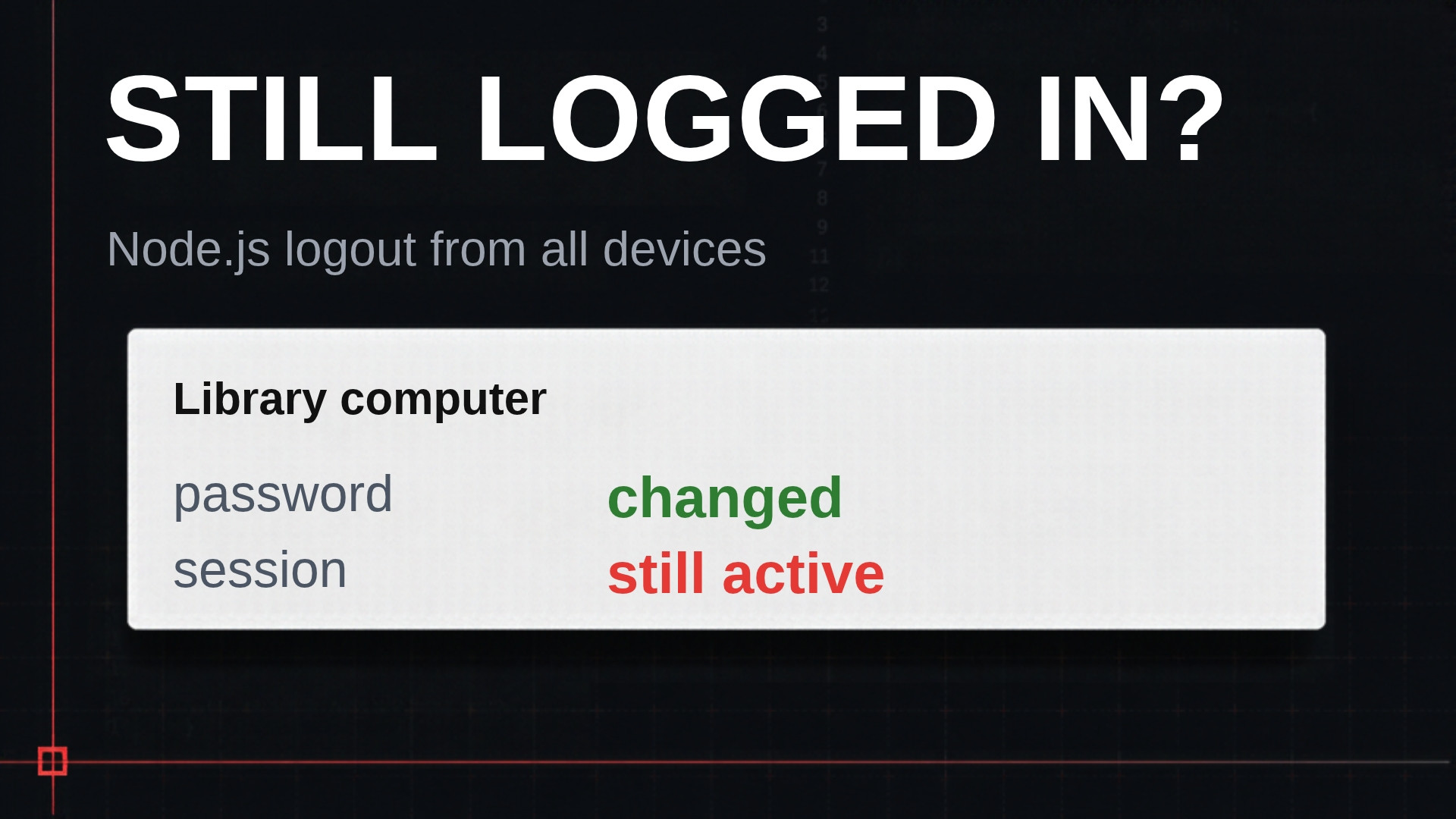
You think someone else might be in your account, so you change your password at home. It works. Then you remember the library computer where you never signed out. You refresh it, and you’re still logged in. The password changed, and the session didn’t care. In this post I add logout from all devices to a Node.js app with express-session and Postgres. Changing the password ends every other session, and a signed-in devices page lets users kick out any device.
Why a new password doesn’t end old sessions
The password change code in my demo app does three things. It checks the current password, hashes the new one, and updates the user row. Nothing is wrong with any of it. The problem is what it doesn’t touch.
Every browser that signs in gets its own row in the session table. Two browsers, two rows. A phone adds a third. The cookie in each browser holds the ID of its row and nothing else. The app checks the password once, at login. After that, it trusts a request because its cookie matches a row, and that row never looks at the password again.
That gives us one rule. Revoking access means deleting rows. Logout deletes one row. A password change has to delete every row for that user except the one making the change. This is item 38 on my production auth checklist: sign out every other session on password change and MFA reset.
Logout already does its part. Signing out calls req.session.destroy(), which I wired up in Session-Based Authentication in Node.js: Fix 4 Defaults. It removes the one row for that browser. Ending every other row is a different operation, and the app doesn’t have it yet.
Find a user’s sessions inside the JSON
The app uses connect-pg-simple as the session store. It expects a table with three columns: sid, sess, and expire. There’s no user column. The store doesn’t know what a user is. It takes whatever you put on req.session, saves it as a JSON blob in sess, and reads it back by session ID.
Postgres can reach into that JSON. The user ID sits right there in the blob, and the double arrow operator ->> pulls a field out as text.
select sid from session where sess->>'userId' = '<alice id>';That query works, but it scans the whole table. The session table can grow to thousands of rows, and every password change would pay for a full scan. So I asked Claude Code to add an index.
Add a Prisma migration that creates an expression index on the session
table: CREATE INDEX "session_user_id_idx" ON "session" ((sess->>'userId'));

Use prisma migrate dev --create-only and write the SQL by hand. Show me
the generated migration file before applying it.

Do not:
- add a userId column to the session table
- add the session table to schema.prisma if it isn't there already
- change the store configuration
- add comments
The index isn’t on a column. It’s on a property inside a column, which Postgres calls an expression index.
The first “do not” matters. A userId column looks like the easier fix. But connect-pg-simple writes sid, sess, and expire, and nothing else. A new column would stay empty unless you write custom code to fill it, and that defeats the point of letting a library do the heavy lifting. The expression index gives the same lookup with a plain Postgres feature.
I also asked to see the migration before Claude applied it. It was one CREATE INDEX statement, so the review took seconds. My rule of thumb is to read every migration an AI agent writes before it runs.
Why EXPLAIN shows a seq scan
After the migration, I put explain in front of the query. Postgres still chose a sequential scan. That’s expected. With one row in the table, reading the table directly is cheaper than going through an index. To confirm the index exists, query pg_indexes.
select indexname, indexdef from pg_indexes where tablename = 'session';It shows a B-tree index on sess ->> 'userId'. Once the table has real traffic, Postgres uses it to find a user’s sessions.
Logout from all devices when the password changes
Now the app can find a user’s sessions fast. Next, I fixed the password change so it deletes them and keeps only the session the user is on. Here’s the prompt.
Add src/sessions.ts with:

signOutOtherSessions(userId: string, keepSid: string): Promise<number>
- deletes every row in "session" where sess->>'userId' = userId and
  sid <> keepSid
- use prisma.$executeRaw with the tagged template, never
  $executeRawUnsafe or string building
- returns the number of rows deleted

Change POST /account/password. After the hash is updated:
- read userId from the session
- call req.session.regenerate, set userId again on the new session,
  call req.session.save
- in the save callback, call signOutOtherSessions(userId, req.sessionID)
- then redirect to /account?changed=1
- pass errors to next

Do not:
- change the login route
- change logout
- add a sessions page yet
- add comments
An example of the helper function:
export async function signOutOtherSessions(userId: string, keepSid: string) {
  return prisma.$executeRaw`
    DELETE FROM "session"
    WHERE sess->>'userId' = ${userId}
      AND sid <> ${keepSid}
  `;
}
Three decisions are worth calling out.
- The tagged template.
$executeRawwith backticks sends the user ID as a query parameter. That’s what protects the query from SQL injection.$executeRawUnsafepastes the value into the SQL string, so the prompt rules it out by name. - Regenerate on password change. The app already regenerates the session at login. A password change needs a new session ID too. That’s item 19 on the checklist.
- The shape of the function. It takes the session to keep, not the session to kill. The same function powers a “sign out everywhere else” button later on.
Then I ran the same test as the opening. Alice signed in on Chrome, her home computer, and on the VS Code integrated browser, the library computer. She changed her password in Chrome. I refreshed the library browser, and it went to the login page. Chrome stayed logged in with a fresh session ID.
One gap remains. This fix only runs for a user who is signed in. A user who forgot their password resets it instead, and a reset should end every session. I cover that flow in Node.js Forgot Password Without the Account Takeover.
Build a signed-in devices page with revoke buttons
A user who thinks someone else is in their account needs a place to see their sessions and end them. Big apps have this page. It lists your devices, rough location, last activity, and a button on each one. Without it, the user has one option, and that’s a support ticket. This is item 39 on the checklist.
Store metadata on each session
Add session metadata.

In src/sessions.ts add startSession(req, userId), which sets on
req.session: userId, createdAt (ISO string), ip (req.ip), and
userAgent (the User-Agent header). Use it in the login route after
regenerate (keep the existing returnTo handling) and in the password
route after regenerate, so the new session gets fresh metadata.

Add middleware after the session middleware: if req.session.userId is
set, set req.session.lastSeenAt to the current ISO time.

Add GET /account/sessions (requireUser). Query the session table for
the current user's rows where expire > now(). Return, per row: a
handle computed in SQL as encode(sha256(convert_to(sid, 'UTF8')),
'hex'), whether sid equals req.sessionID, and the sess JSON. Never
select or render the raw sid.

Render each row with bowser: browser and OS name, ip, createdAt,
lastSeenAt. Mark the current session "This browser". Link to the page
from /account.

Do not:
- add revoke buttons yet
- add a userId column or change the store
- add comments
The page filters on expire > now(), so it only lists sessions that still work. The current session gets the “This browser” label.
The first load failed with “the user agent parameter can’t be empty.” I pasted the error into Claude Code, and it found its own bug. The bowser parser throws on an empty string. The Chrome session existed before this change, so it had no user agent. After the fix, that old session showed up as an unknown browser on an unknown OS. Signing out and back in on Chrome filled it in as Chrome on Windows. Always check Claude Code’s work, and test with sessions that existed before your change.
Identify sessions with a hash, not the session ID
Each revoke button needs to identify a row. The easy choice is the session ID, and I told Claude not to use it. The session ID is what the cookie carries. In the session-based authentication post, I showed that a bare session ID can’t become a working cookie without the signing secret. Still, the page has no reason to know other browsers’ session IDs. Put them in the HTML and they end up in the page source, or in a screenshot attached to a support ticket. So each row gets the SHA-256 of its ID, computed in Postgres. It identifies the row and is useless for anything else.
Add revoking.

POST /account/sessions/revoke (requireUser), body: handle and the
CSRF field. Delete from "session" where sess->>'userId' is the current
user AND encode(sha256(convert_to(sid, 'UTF8')), 'hex') = handle AND
sid <> req.sessionID. Use prisma.$executeRaw with the tagged template.
Redirect to /account/sessions.

POST /account/sessions/revoke-others (requireUser), CSRF field only.
Call signOutOtherSessions(currentUserId, req.sessionID). Redirect to
/account/sessions.

On the sessions page: a Revoke form on every row except This browser,
and one "Sign out all other sessions" form at the top. Both POST and
include the CSRF field.

Do not:
- add a GET route that deletes anything
- let the revoke route delete the current session
- add comments
Look at the WHERE clause in the revoke route. It matches the handle, and it also matches the user. The handle alone would probably be enough, since you’d need a hash from someone else’s page to misuse it. I check the user anyway, so every delete is scoped to its owner. It’s the same habit as in Role-Based Access Control in Express and Prisma.
Both routes are POST forms with a CSRF field. Logging someone out changes state, so it’s never a GET. The second route reuses signOutOtherSessions, which is why the helper takes the session to keep.
In the test, each browser showed “Sign out all other sessions” at the top and a Revoke button on the other session only. From Chrome, I revoked the Electron session, which is the VS Code browser. The row disappeared. Back in the VS Code browser, the next click went to the login page.
Key takeaways
- Changing a password does nothing to existing sessions, because the session row never checks the password after login.
- connect-pg-simple stores the user ID only inside the
sessJSON, so you find a user’s sessions withsess->>'userId'and an expression index. - On password change, regenerate the current session and then delete every other row for that user.
- A signed-in devices page should identify rows by a hash of the session ID and scope every delete to the current user.
Conclusion
A session outlives the password that created it, and only deleting rows takes access away. With an expression index and one DELETE, logout from all devices becomes part of every password change. Try it on your own app tonight. Sign in on two browsers, change the password in one, and reload the other. If it’s still signed in, fix that first. On JWTs, the same job falls to refresh token rotation.