6 Auth Security Checks to Run on Your App in 20 Minutes
I logged out of my notes app, then sent the refresh token I had copied before logging out. The server handed me a fresh access token anyway. The logout route looked fine. The happy path worked, which is why nobody caught the bug. Nobody tests the path an attacker takes. Below are six auth security checks I ran against this app in about 20 minutes. You can run the same six on your own app today.
Start your auth security checks with token storage
Check 1. Where does the access token live?
Open the browser dev tools and look at local storage. In my app, the access token sat right there. Grep your code for localStorage and sessionStorage to confirm. This is item 25 on my production auth checklist. A token in localStorage stays there after the tab closes. One injected script can send it to an attacker, who then uses it from their own machine.
RFC 10017, the OAuth 2.0 for Browser-Based Applications spec, says to hold tokens in memory. Better yet, keep them on the server behind a backend for frontend, or BFF, and give the browser an HttpOnly cookie. A single-page app with no backend has to keep the token in memory, and the user loses the session when they close the app. Don’t patch that by moving the token into localStorage. That’s the first place an attacker’s script looks. A BFF isn’t scary. Next.js and React Router already have a backend you can use.
Check 2. What does Set-Cookie actually look like?
My refresh token lived in an HttpOnly cookie. Good start. But the cookie had no Secure attribute, so the browser could send it over plain HTTP. It had no SameSite attribute either. Browser defaults vary, so set it yourself. Use Strict if you can and Lax at minimum. Item 15 on the checklist covers this.
Last, rename the cookie to __Host-refreshToken. With that prefix, the browser refuses to store the cookie unless it’s Secure, has no Domain attribute, and has Path=/. Get one of those wrong and login breaks on your machine, so you catch the mistake during development. My cookie would have failed that test.
What happens to a refresh token after you use it
Check 3. Replay an old refresh token
I logged in as Alice with curl and refreshed with token A. I got a 200 and a new token B, so the app rotates tokens. Sending token A again returned a 401. That looks right until you ask who used token A first.
Say an attacker steals token A and refreshes before Alice does. The attacker now holds token B. Alice’s app sends token A, gets a 401, and she logs in again. The attacker keeps going with B. Here’s the fix. When an old refresh token shows up again, revoke the whole token family. That includes the current token. I go deeper on this in my video on refresh token rotation.
Check 5. Does logout touch the database?
I’m pairing this with check 3 because both are about refresh tokens that still work when they shouldn’t. This is the bug from the top of this post. Log in with curl, copy the refresh token to a file, and log out. Logout returns a 200. Then send the copied token to the refresh endpoint. My app handed back a new access token. Clearing the cookie doesn’t end the session. Logout has to revoke the refresh token on the server, which is item 35 on the checklist.
What your error messages and response times give away
Check 4a. The forgot password message
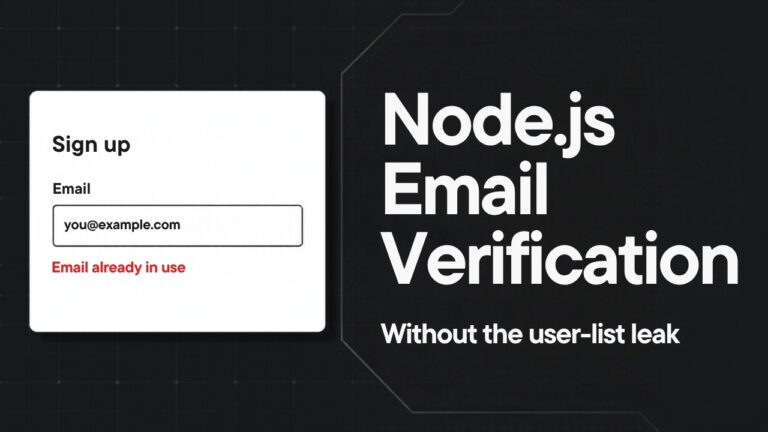
When Alice used forgot password, the app replied “Reset link sent.” For an address that doesn’t exist, it replied “No account found with that email.” Now an attacker can walk a list of a million addresses and find your customers. That’s a targeted phishing list. For a dating, health, or finance app, the fact that someone has an account is itself the breach. Send the same reply either way, something like “If that address has an account, we sent a reset link.”
Check 4b. Login response timing
My login said “invalid email or password” for both cases, which is correct. The timing still leaked. Five wrong-password requests for Alice averaged about 0.2 seconds. Five requests for nobody@example.com came back in a few milliseconds. For a real account, the server hashes the password and compares it. For a missing account, my code skipped that work. Fix it by checking the password against a dummy hash when the account doesn’t exist. It costs some server time, and I think that’s a fair price.
Rate limit the reset endpoint, not only login
My app rate limits login. Fifty bad login attempts got four 401s and then 46 429s. Then I sent 50 requests to forgot password. All 50 came back 200, and Mailpit showed 50 reset emails in Alice’s inbox. Rate limit the reset endpoint per account and per IP address. Item 40 on the checklist goes deeper.
The damage spreads past one inbox. A flood of reset emails burns your sending reputation until your email provider throttles you. After that, real reset emails stop arriving. The attacker breaks account recovery for every user on your platform.
Key takeaways
- Keep access tokens out of localStorage and sessionStorage, and use a BFF with an HttpOnly cookie when you can.
- Mark the refresh token cookie Secure, set SameSite yourself, and use the
__Host-prefix so the browser rejects a misconfigured cookie. - When an old refresh token comes back, revoke the whole token family, and make logout revoke the refresh token on the server.
- Return the same message and take the same time whether an account exists or not.
- Rate limit forgot password per account and per IP, because an open reset endpoint can wreck your email sending reputation.
Conclusion
None of these bugs show up when you click through your app as a normal user. They show up when you act like an attacker. Reuse an old token. Log out and keep going. Ask about an account that doesn’t exist. Send 50 requests in a loop. These six auth security checks take about 20 minutes, and my free production auth checklist covers each one in more depth.