Node.js Forgot Password Without the Account Takeover
I asked for a password reset on Alice’s account. I don’t have her password, and I don’t have her inbox. Her reset email still linked to my server, because I added one header to the request. Most Node.js forgot password tutorials build the reset link from req.hostname. Behind the wrong proxy, the client controls that value. Here’s the reset flow I built in Express and Prisma, how it leaked, and the fixes that close it.
How one header hijacks a Node.js forgot password link
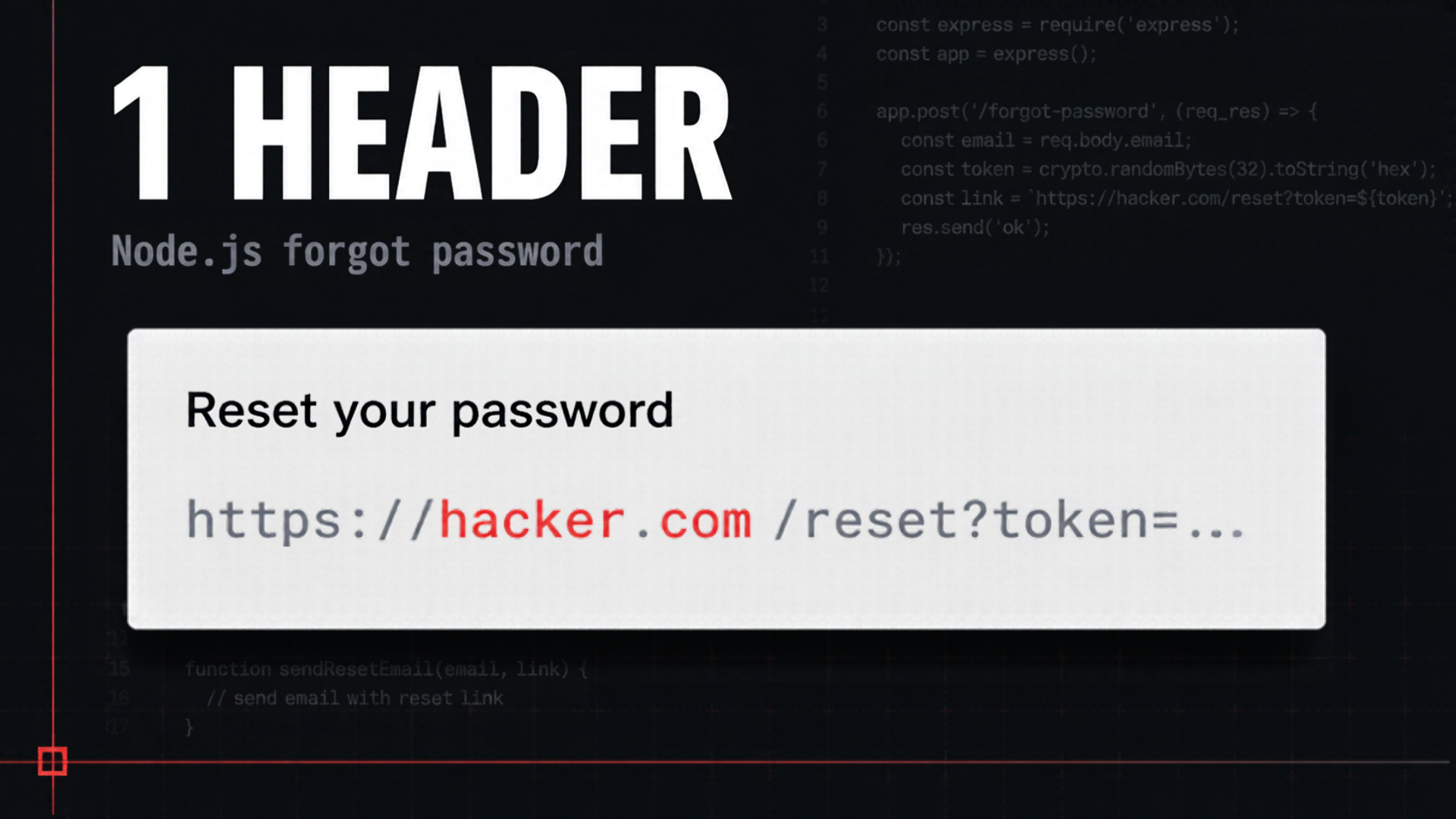
The attack request is an ordinary forgot password request for alice@example.com. It has one extra header, X-Forwarded-Host: hacker.com. The email lands in Alice’s real inbox, from my real app. The reset link points at hacker.com. When she clicks it, she hands the attacker her token, and the account is gone.
Nothing crashed. There was no stack trace. The handler built the link from req.hostname, which looks reasonable. The user gets a link back to the host they came in on.
The part that stings is app.set('trust proxy', 1). You need trust proxy so your rate limiter sees real client IPs instead of the load balancer’s. That’s item 56 in my production auth checklist. It also tells Express to read the host from X-Forwarded-Host. So the right setting on one item turned req.hostname into attacker input on another.
The attack depends on what sits in front of your app. A proxy has to pass the client’s header through. nginx or Caddy configured that way will do it. A default AWS Application Load Balancer doesn’t preserve the Host header, so this exact attack fails there. Someone can turn that setting on, though, and your reset links shouldn’t depend on it.
The fix is item 44. Build every email link from config, never from the request.
// Before: the domain comes from the request
const link = `https://${req.hostname}/reset?token=${token}`;

// After: the domain comes from config
const link = `${env.APP_URL}/reset?token=${token}`;
I sent the same forged header after the change. The email linked to localhost 3000. The attacker can say whatever they want about the host, and the email doesn’t listen.
Two things in the original handler were already right. It returns the same response whether or not the account exists, and it only sends email to real users. I covered why in Node.js Email Verification Without the User-List Leak.
Store the reset token as a hash
The link was safe. The token behind it wasn’t. I opened Prisma Studio, and the reset token table held the raw token in plain text. A read-only SQL injection or a leaked backup would expose every live reset token. Whoever reads them can reset those accounts. A reset token is a bearer credential, the same as a password.
So I asked Claude Code to harden it. The token is 32 random bytes from a CSPRNG, base64url encoded. The raw value goes in the email link only. The database stores its SHA-256 hex in a tokenHash column. The token expires in 30 minutes, and the completion route deletes it on use. When a user asks for a new link, the older tokens go away, so a link in an old or forwarded email stops working. That covers items 41 and 42.
import { randomBytes, createHash } from 'node:crypto';

const token = randomBytes(32).toString('base64url');
const tokenHash = createHash('sha256').update(token).digest('hex');

await prisma.$transaction([
  prisma.passwordResetToken.deleteMany({ where: { userId: user.id } }),
  prisma.passwordResetToken.create({
    data: {
      userId: user.id,
      tokenHash,
      expiresAt: new Date(Date.now() + 30 * 60 * 1000),
    },
  }),
]);
A plain SHA-256 is fine here, and it’s worth knowing why. You hash passwords with Argon2id because people pick low-entropy, guessable passwords. This token is 256 random bits. There’s nothing to guess and nothing to brute-force, so a slow hash buys you nothing. It would only cost CPU time on every lookup.
Close the timing gap
The handler had two branches. For a real user, it created a token and sent an email. For an unknown address, it responded right away. The message was identical, but the response time wasn’t. An attacker can clock it and learn which addresses have accounts.
I timed it on localhost. A real address took about 80 to 150 milliseconds. An unknown one took 3 to 14. Anyone can see that gap.
The fix moves the email send off the request path. The handler looks up the user, creates the token if the user exists, and responds. The email goes out after the response. The send needs a .catch. Without one, a failed email disappears and nothing logs it. On current Node versions, an unhandled rejection also stops the process by default.
router.post('/forgot-password', async (req, res) => {
  const { email } = forgotSchema.parse(req.body);
  const user = await prisma.user.findUnique({ where: { email } });
  const token = user ? await createResetToken(user.id) : null;

  res.status(200).json({
    message: "If that address has an account, we've sent a reset link.",
  });

  if (user && token) {
    sendResetEmail(user.email, token).catch((err) => {
      console.error('reset email failed', err);
    });
  }
});
After the change, a real address took about 17 to 20 milliseconds, and an unknown one took 14 to 16. The big gap is gone. The few milliseconds left are the token insert, which still runs only for real accounts. With enough samples, an attacker could average that out. The full fix does the same database work on both branches, or moves token creation into the background job too.
Fire-and-forget also has no retries. If the send fails, the user never gets the link. A real app should put the email in a proper queue like BullMQ. Fire-and-forget closes the timing leak and keeps this demo about the reset flow.
Protect the reset page and finish the reset
The reset page
The token has to be in the URL. That’s how a reset link works. A token in a URL leaks three ways. The browser can send the full URL in the Referer header to anything the page loads. Analytics tags and chat widgets record page URLs on their own. And the token sits in the address bar and in history after the reset is done.
The reset page sets Referrer-Policy: no-referrer. It loads no third-party scripts, so no analytics, no CDN fonts, and no chat widget. Once the page loads, history.replaceState strips the token from the address bar and keeps it in the form. That’s item 45.
// Server
router.get('/reset', (req, res) => {
  res.set('Referrer-Policy', 'no-referrer');
  res.send(renderResetPage());
});

// Inline script on the page
const token = new URLSearchParams(location.search).get('token');
document.querySelector('input[name="token"]').value = token;
history.replaceState(null, '', '/reset');
Completing the reset
The completion route runs in one Prisma transaction. It hashes the submitted token and looks it up by hash. It rejects a missing or expired token. It hashes the new password with Argon2id, deletes the token, and deletes every session for that user.
Deleting the sessions is the point of the whole flow. People reset a password when they think someone got in. If the attacker already has a live session, a new password does nothing to it. That’s item 43.
router.post('/reset', async (req, res) => {
  const { token, newPassword } = resetSchema.parse(req.body);
  const tokenHash = createHash('sha256').update(token).digest('hex');
  const passwordHash = await hashPassword(newPassword);

  const user = await prisma.$transaction(async (tx) => {
    const row = await tx.passwordResetToken.findUnique({ where: { tokenHash } });
    if (!row || row.expiresAt < new Date()) return null;

    const user = await tx.user.update({
      where: { id: row.userId },
      data: { passwordHash },
    });
    await tx.passwordResetToken.delete({ where: { id: row.id } });
    await tx.session.deleteMany({ where: { userId: row.userId } });
    return user;
  });

  if (!user) {
    return res.status(400).json({ message: 'This reset link is invalid or expired.' });
  }

  sendPasswordChangedEmail(user.email).catch((err) => {
    console.error('notice email failed', err);
  });
  res.redirect(303, '/login');
});
Two things the route doesn’t do are deliberate. It doesn’t log the user in. A reset proves you can read an email, not that you know the password. Auto-login after a reset also skips MFA and hands out an MFA-free session. So the route sends the user to the login page. That’s item 46.
It also emails a notice to the account owner. If the reset wasn’t you, that email is how you find out. A real build would add an undo link to it.
I ran the whole flow. I requested a link, set a new password, and landed on the login page. Alice logged in with the new password. Her old password failed, and the session from before the reset was gone.
What I left out
This endpoint has no rate limit yet. Without one, an attacker can flood a real user’s inbox with reset emails and bury the one that matters. The same flood burns your sending reputation until your provider throttles you. Then reset emails stop arriving for everyone. Limit both per account and per IP. That’s item 40, and I build it in 6 Auth Security Checks to Run on Your App in 20 Minutes.
Key takeaways
- Build reset links from an
APP_URLvalue in config, becausereq.hostnamecomes from a client header when trust proxy is on. - Store reset tokens as SHA-256 hashes with a 30-minute expiry, and delete them on use and when a newer link is requested.
- Send the reset email after the response, with a catch on the promise, so response time doesn’t reveal which addresses have accounts.
- Keep the token out of the Referer header, away from third-party scripts, and out of the address bar once the page loads.
- Complete the reset in one transaction that deletes every session, then send the user to the login page instead of signing them in.
Conclusion
Every risky step in a password reset decides how much to trust the other side of the request, and the defaults trust too much. None of these fixes is clever. The hard part is remembering to do them. Open your Node.js forgot password handler and check where the link’s domain comes from first.