Extending Claude Code: hooks, skills, bundled commands, and headless mode
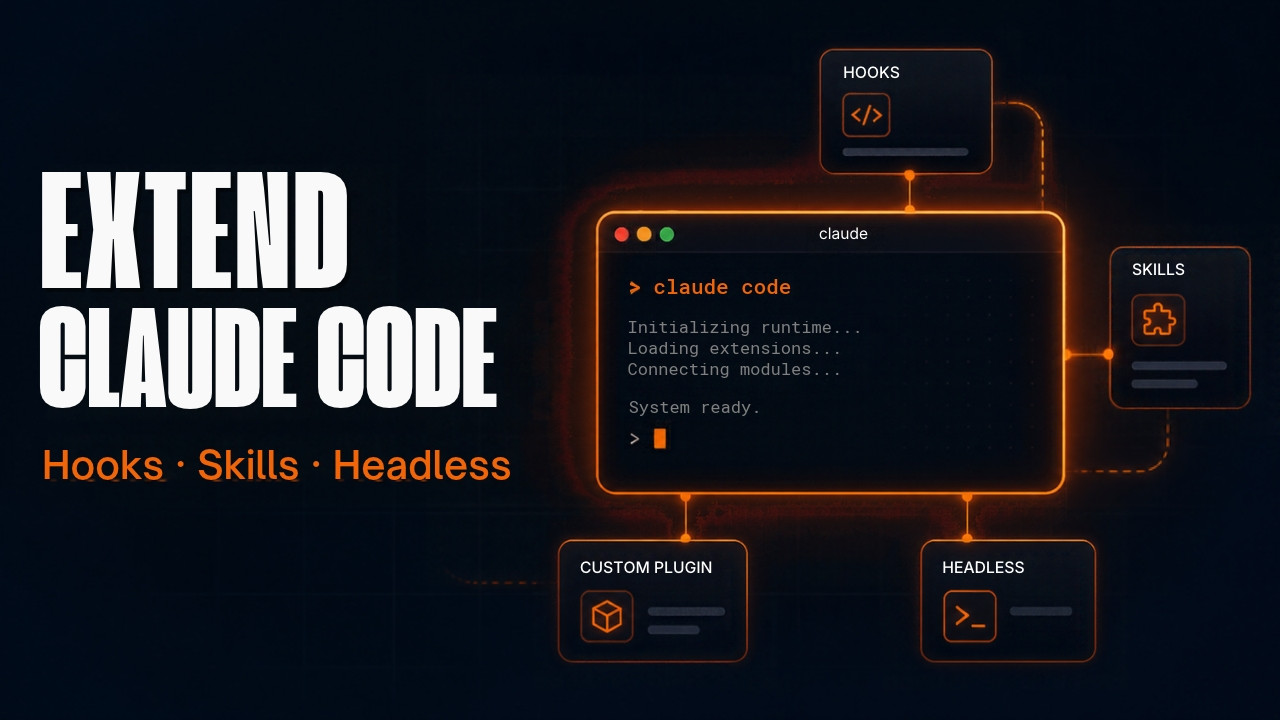
This is the last of three reference posts built from Gui Ferreira’s NDC Oslo 2026 talk. The first post covered one-time setup, and the second covered daily workflow commands. This one covers what Gui calls the platform layer, the ways you extend Claude Code beyond the defaults.
Most people know hooks, skills, and MCP servers exist. Gui’s point is that people use them for the obvious cases and skip the useful ones. I checked every command here against the Claude Code docs as of November 2026.
Hooks for a feedback loop
Gui did test-driven development for years, and the thing he valued most was fast feedback. When something breaks, you want to know now. Claude benefits from the same thing.
You could write “always run the tests when you’re done” in CLAUDE.md. Gui’s objection is that Claude then has to decide to do it, and sometimes it won’t. A hook runs whether Claude remembers or not. It also costs nothing in tokens to run the command itself, because your shell runs it, not the model. Only the output Claude needs to read costs anything.
His setup is a PostToolUse hook that runs tests and the linter after Claude edits files. If something fails, the result goes back into the conversation and Claude fixes it before it reports done.
There’s a detail the talk skips, and it decides whether this works at all. On PostToolUse, only exit code 2 puts your hook’s stderr in front of Claude. A plain npm test that fails exits with code 1, which shows you a notice and lets Claude carry on. So you need a small wrapper script that prints failures to stderr and exits 2.
The second detail is speed. A full test suite after every edit gets slow, because Claude makes dozens of edits per feature. Keep PostToolUse to fast checks like type checking and lint, and run the full suite in a Stop hook, which fires when Claude finishes responding and can block it from finishing.
I covered both problems with working scripts in Why your Claude Code hooks ignore failing checks. Run /hooks to see which hooks are registered.
A skill is a folder
Most people treat a skill as a prompt saved in a file. Gui’s point is that a skill is a folder, and SKILL.md is only the entry point. You can put scripts in that folder, Python, PowerShell, bash, anything that runs on your machine, plus markdown files that explain how to use them.
His example: your team has a Confluence page of scripts someone runs once in a while to fix a recurring problem. Package those scripts as a skill. Next time, you ask Claude and it runs them.
.claude/skills/fix-stuck-queue/
  SKILL.md
  drain_queue.py
  reset_consumers.sh
  README.md
Run /skills to list what’s installed. Press t to sort by token count, which tells you which skills cost the most context. If you add or edit a skill on disk mid-session, /reload-skills picks it up without a restart.
I wrote about why your own skills tend to beat downloaded libraries in Why You Should Stop Using Other People’s AI Skill Libraries.
Bundled skills Anthropic already ships
Before you write a refactoring skill or download a code review skill, check what’s already there. Claude Code ships several bundled skills. They’re marked as skills in the commands reference, so they work like the ones you write, and Claude can also invoke them on its own when they fit.
/batch for large changes
/batch handles big changes across a codebase, like a migration or a mass rename. It researches the code, splits the work into 5 to 30 independent units, and shows you a plan. Once you approve, it starts one background subagent per unit, each in its own git worktree. Each subagent implements its unit, runs tests, and opens a pull request. It needs a git repo.
/batch migrate src/ from Solid to React/simplify for cleanup
Gui’s favorite. Many people build their own “refactor” skill, and he suggests trying this one first, since Anthropic uses it to build Claude Code.
/simplify reviews changed code and applies cleanup fixes. Four review agents run in parallel. They look for reuse of existing helpers, simplification, efficiency, and whether the change sits at the right level of abstraction. Pass a path or PR reference to review a specific target.
Since v2.1.154, /simplify does not look for bugs. For correctness, use /code-review, which takes an effort level and --fix to apply findings.
/loop for polling
You push a PR and then keep refreshing GitHub Actions to see if the deploy went green. Ask Claude to do it instead.
/loop 5m check if the deploy to staging finished/loop runs a prompt repeatedly while the session stays open. Leave out the interval and Claude picks the timing itself. The alias is /proactive.
Put MCP servers in the project
The usual path is to look up MCP servers for every technology your company uses and install all of them. That puts them in your user profile, where they load into every session and nobody else on the team knows they exist.
Put them in a .mcp.json file at the project root and commit it. When a teammate opens the project with Claude Code, it offers to enable those servers. It also gives you one place to audit what the project actually uses, instead of a line in the README saying “install these MCPs.”
{
  "mcpServers": {
    "issue-tracker": {
      "type": "http",
      "url": "https://mcp.example.com/mcp"
    },
    "local-db": {
      "command": "npx",
      "args": ["-y", "your-db-mcp-server"]
    }
  }
}
The names and URLs above are placeholders. Swap in the servers your project uses. You can also add one from the terminal with claude mcp add --scope project. Run /mcp inside a session to manage connections.
Headless mode with -p
You don’t have to run Claude Code interactively. claude -p runs a single prompt, prints the result, and ends the session.
claude -p "summarize what changed in this branch"
git diff main | claude -p "review this diff for missing error handling"
That makes Claude one step in your existing shell or PowerShell scripts. You can pipe data in, let Claude reason about it, and pipe the output somewhere else. It runs on your Claude subscription.
Several session commands also work in -p mode since v2.1.205, including /model, /effort, /color, /rename, and /mcp. In headless mode they apply only to that session and don’t change your defaults.
/insights on Monday
Gui ended the talk with one request. If nothing else in the talk was new to you, run /insights next week. It generates a report on how you use Claude Code, covering project areas, interaction patterns, and friction points. It tells you what you’re doing, which is a different question from what Claude Code can do.
What I left out
The fourth section of the talk covers non-coding uses: quarterly review summaries, sorting a downloads folder of 1,626 files, an Obsidian vault managed by Claude Code, and a Strava running plan built from two skills. They’re good stories, but they’re about Gui’s setup, not commands you need to learn. Watch the end of the talk if you want them.
Quick reference
| Command or file | What it does |
|---|---|
PostToolUse hook | Runs after a tool call. Exit 2 to send output to Claude |
Stop hook | Runs when Claude finishes. Can block it from finishing |
/hooks | View registered hooks |
.claude/skills/<name>/ | Skill folder with SKILL.md plus scripts and docs |
/skills | List skills. t sorts by token count |
/reload-skills | Pick up skill changes without restarting |
/batch | Split a large change into parallel worktree agents |
/simplify | Cleanup review with four parallel agents, no bug hunting |
/code-review | Correctness review, with --fix to apply |
/loop | Repeat a prompt on an interval |
.mcp.json | Project-scoped MCP servers, committed to git |
/mcp | Manage MCP connections |
claude -p | Run one prompt headless and exit |
/insights | Report on how you use Claude Code |
Source
This post is based on Gui Ferreira’s talk at NDC Oslo 2026. The tips and anecdotes are his. The verification against the docs and any opinions are mine. Watch the full talk here: What Claude Code Can Do That You Haven’t Tried, Gui Ferreira, NDC Oslo 2026.