|

Composer: Path Repositories

When working on a php package it is inconvenient to push the package to github (or other repository) and then wait for the package to update using composer update.  For package development, composer has such feature as path repositories.  Let’s imagine we have a two folders on the same level:  my-app and  package.   my-app is an app — a test bed for our package and package is a php package we are developing:

my-app

package

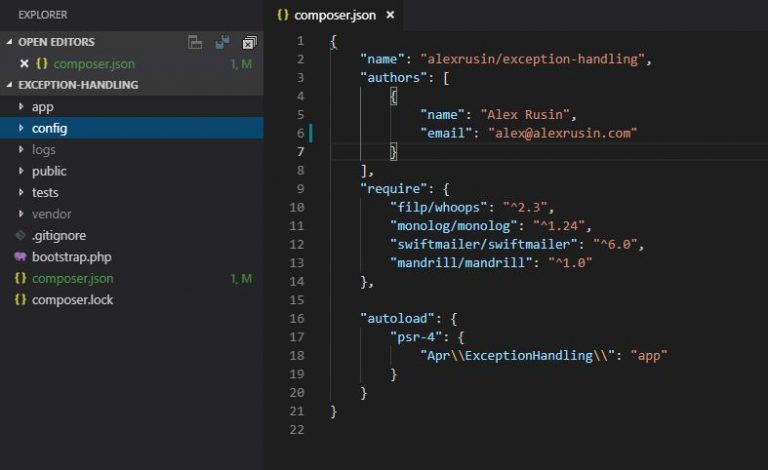
In my-app‘s composer.json we can include:

"repositories": [ 
  {
    "type": "path",
    "url": "./../package"
  }
]

Now you can simply go to the require block of the composer.json file of the application (my-app) and require your package.

"require":
  {
    //other required packages
    "apr/package": "master@dev"
  }

After that you can do composer update and composer will take care of the package and any dependencies it needs.  Then you can use this package like any other package installed through composer.
Share this article

Similar Posts

  • |

    Adding Virtual Box Bridged Network Adapter to Laravel Homestead

    Vagrant allows you to configure bridged network adapter, so your vagrant(homestead) box can be seen on local network.  I order to make this possible by adding a line of code to homestear.rb script in scripts folder. I opted to add this line after the following code. if settings.has_key?(“networks”) settings[“networks”].each do |network| config.vm.network network[“type”], ip: network[“ip”], bridge: network[“bridge”]…

    Share this article
  • | |

    Laravel Jenkins CI

    This article covers installation of Jenkins on Ubuntu server and its usage to continuously integrate a Laravel application.  Besides LAMP/LEMP stack we need to install Java, Git, Composer, and Node to successfully use Jenkins. Before starting to install this software, let’s take care of miscellaneous  stuff. Miscellaneous (can skip this). Create mysql user and database….

    Share this article
  • Upload to FTP with PHP

    $fp = fopen(‘https://www.example.com/pdfdoc’, ‘r’); $user = “sammy”; $pass = “password”; $ftp_server = “192.168.10.10”; //should be wrapped in try catch to properly handle errors $ftp_conn = ftp_ssl_connect($ftp_server); $login = ftp_login($ftp_conn, $user, $pass); ftp_chdir($ftp_conn, ‘path/to/folder’); //can also use ftp_pwd ftp_pasv($ftp_conn, true); //passive mode ftp_fput($ftp_conn, “mydocument.pdf”, $fp, FTP_BINARY); fclose($fp); ftp_close($ftp_conn); Above code can be used to upload a…

    Share this article
  • Stream Filter

    In php one can use filters with streams.  Sometimes it can become handy.  Let’s say you open a .csv file as a stream, but this file is tab separated.  Your program can can process coma separated csvs, but not tab separated.  This is a good use case for a stream filter, because it can make replacements…

    Share this article
  • Using Local and Public Disks

    Having vagrant run on Windows host machine may cause some problems with symbolic links. After trying to make symbolic links to work and failing, I decided to use public disk in development and local disk in production. php artisan storage:link makes symbolic link from “public/storage” to “storage/app/public”.  When developing on windows-vagrant this command will not work properly,…

    Share this article