Claude Skills and Connectors Explained
You built a Claude project, and it works — right up until it doesn’t. You keep pasting the same data every week because the project can’t reach outside itself. A teammate tries to run your workflow and it breaks, because the context lived in your head instead of in the system. This isn’t a project problem. It’s a missing-layer problem. Claude skills and connectors solve exactly this gap, and knowing when to reach for each one is the difference between a workflow that scales and one that stalls.
The Three Layers: Knows, Does, Reaches
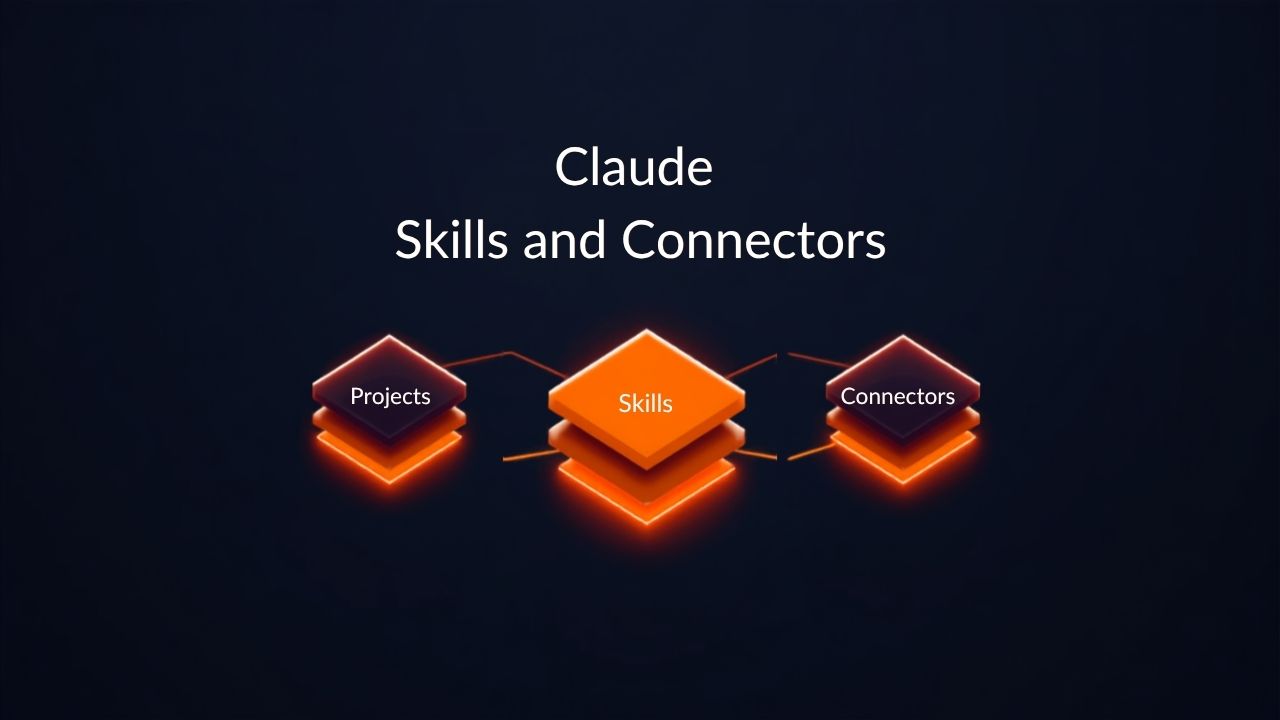
Claude actually operates on three distinct layers, and each one maps to a verb: knows, does, reaches. A project knows — it holds standing context for one work stream. You give it instructions, upload reference files, and every conversation inside it inherits that context automatically.
A skill does — it’s a packaged procedure, a folder with a SKILL.md file containing instructions and scripts. Claude auto-invokes it when a task matches. Unlike a project, a skill travels with you, working across chat, Claude Code, and the API.
A connector reaches — it’s a live link into an external system, built on MCP (Model Context Protocol). It’s not a file you uploaded once; it’s an active connection. Connectors let Claude read your Drive, pull tickets from Jira, or create a Confluence page in real time, within the permissions of whoever’s signed in.
When a Project Isn’t Enough
Most people don’t misuse projects — they just stay in one after the task outgrows it. Two symptoms give it away. First, you paste the same data manually every time you run a workflow. That’s a signal you need a connector. Second, you build something useful once and then rebuild it from scratch in a different project. That’s a signal you need a skill.
The router question to ask every time is simple: does this task need new context, a repeatable method, or live data and action? Context points to a project. Method points to a skill. Data or action points to a connector. Mature workflows use all three at once — a project holding the brief, a skill enforcing structure, a connector pulling live numbers. None of the three replaces the others.
Claude Skills and Connectors in Action
A recent workflow demo makes this concrete. Instead of manually pasting a YouTube transcript into a Claude project, a VidIQ connector pulls the transcript straight from a video link. Claude finds the right tool on its own, because the connector is already loaded into context. Once the blog post is drafted, a second connector — a custom WordPress MCP plugin — creates the draft post directly, no copy-pasting into the CMS.
After nudging Claude a few times to fill in SEO fields, set categories, and disable comments, those repeated instructions get packaged into a skill using Claude’s built-in skill creator. The next blog post skips the nudging entirely because it will use the skill.
Key Takeaways
- A Claude project knows: it holds standing context for a single work stream and nothing beyond it.
- A Claude skill does: it packages a repeatable procedure that travels across chat, code, and the API.
- A connector reaches: it gives Claude a live link to external systems through MCP, not a one-time upload.
- Manually pasting the same data every run means you need a connector, not a bigger project.
- Rebuilding the same procedure across different projects means you need a skill, not another project.
None of these three layers replaces another — they compose together. Claude skills and connectors don’t retire projects; they extend what a project alone can do. The moment a workflow starts feeling repetitive or leaky, that’s not a reason to abandon Claude projects — it’s a signal to add the layer that’s missing. Diagnose the gap, then build the connector or skill that closes it.