Claude Code Security Review vs a 57-Point Auth Checklist
Ask an AI agent to write authentication and you usually get something that looks right. The tests pass, the hashing library is a good one, and the tokens expire. But “it works” and “it’s secure” are two different bars. So I had Claude Code build email and password auth for a Node.js API from one prompt. Then I ran a Claude Code security review on the result and graded the same code against my 57-point production auth checklist. The two verdicts didn’t agree.
The test: one prompt, no security instructions
My starting point was an empty Express 5 API. It had Prisma with no models, Postgres in Docker, a health check, and no security packages. Anything security-related after that was Claude Code’s choice.
Here’s the prompt I gave it:
Build email and password authentication for this Express 5 + Prisma 7 +
Postgres API.

- POST /auth/register, /auth/login, /auth/refresh, /auth/logout
- short-lived JWT access tokens, refresh tokens in a cookie
- GET /me returns the current user
- a requireAuth middleware other routes can use

Production quality. Write tests.
I didn’t tell it which libraries to use. It picked jose for JWTs, argon2 for password hashing, and zod for validation. It also added a rate limiter I never asked for. That’s a good start.
What the Claude Code security review found
Claude Code has a built-in slash command for this, /security-review. It reviews what changed on your branch compared to the remote’s default branch. My default branch was the empty skeleton, so it reviewed exactly the code Claude wrote.
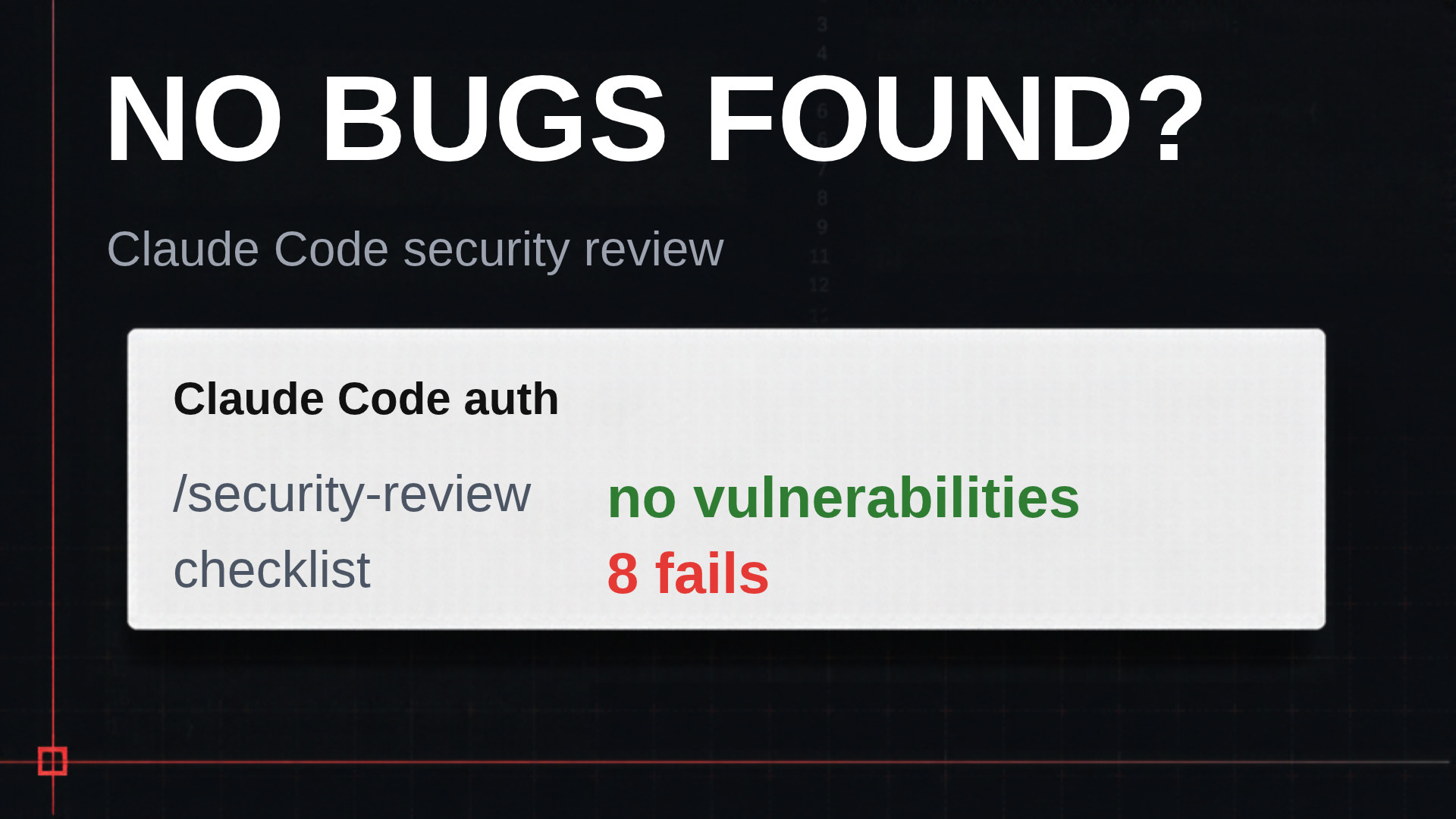
It reported no high or medium vulnerabilities at confidence 8 or higher. And to be fair, a lot of the code holds up. It uses Argon2id. The JWT verifier pins the algorithm and checks issuer and audience. The app stores refresh tokens hashed, and reusing an old one revokes the whole token family. It even runs a dummy password hash when the email doesn’t exist, so response time doesn’t reveal which accounts are real.
The interesting part sits at the bottom of the output. A “below the bar” section lists three things the review noticed and chose not to report:
- Register returns 409 for an email that’s already taken.
- The refresh cookie is Secure only when
NODE_ENVis production. - Two refreshes at the same time log the user out.
On the third one, I agree with the review. Revoking the family on reuse is correct behavior, with an annoying side effect. I cover that race in my refresh token article. Keep the first two in mind.
Grading the code against a 57-point auth checklist
Next, I asked Claude Code to grade the same code against my production auth checklist. It decided which of the 57 items apply, graded those, and wrote a report. 35 items apply here. 20 pass, 6 partially pass, and 8 fail.
You still have to think for yourself. For example, the grader failed the “secrets from a secret manager” item. But this app runs locally. A secret manager matters once you deploy, not here. Of the rest, three findings matter most.
Three findings the review missed or dismissed
1. The session never ends (item 21)
Each call to the refresh endpoint issues a new refresh token and retires the old one. Each new token also gets a fresh 30 days. So the expiry moves forward on every refresh.
In the demo, I logged in, refreshed a few times, and watched expires_at in the database. The old token got revoked, and the new token’s expiry moved forward by the minutes between my refreshes. An attacker with a stolen refresh token can refresh it once a month and keep a valid token forever.
Item 21 calls for an absolute timeout: a second clock that starts at login and never resets. Eight to 12 hours suits a normal app. The security review didn’t mention this, not even below the bar. And it isn’t a sloppy bug. It comes from rotation, which is a good feature. The code just never answers one question: when does this session end?
The fix is one column and one comparison. Store the login time on the token family, and refuse to refresh past it.
const MAX_SESSION_MS = 12 * 60 * 60 * 1000; // 12 hours

// in the refresh handler, after finding the token row
if (Date.now() - token.familyStartedAt.getTime() > MAX_SESSION_MS) {
  await revokeFamily(token.familyId);
  throw unauthorized("Session expired");
}
2. Secure only in production (item 17)
The review saw this one and called it a deployment setting:
secure: config.NODE_ENV === "production",Many people write it this way. But start the app with NODE_ENV set to staging, a perfectly normal value, and log in. You get a 30-day refresh token with no Secure flag. Over plain HTTP, that cookie travels in the clear. I’ve seen this go wrong: someone adds a new environment, the variable says anything other than “production,” and the flag is gone.
Set it to true everywhere instead:
secure: true,Chrome accepts Secure cookies on localhost, even though http://localhost:3000 isn’t HTTPS. In the video I tested both cases. On localhost, the browser stored the cookie and the refresh worked. On the machine’s IP address, the browser dropped the cookie and the refresh failed with a 401. That’s the Secure flag doing its job. So skip the environment variable tricks.
3. Enumeration, excused by an IP-only rate limiter (items 11 and 12)
The review noted that register returns 409 for a known email. It called that low-impact enumeration and pointed to the rate limiter. With AI tools in an attacker’s hands, I don’t treat anything as low impact anymore.
The rate limiter uses express-rate-limit with one key, the IP address: 10 requests per 15 minutes per IP. The existing test sends three requests from one IP to one account and expects a 429 on the third. Nothing covers rotating IPs. Attackers use botnets, and every request comes from a different address.
So the review dismissed one finding because of a control that has its own finding. Item 12 says throttle per account and per IP. Item 11 says signup shouldn’t reveal whether an account exists at all. Return the same response every time, and move the honest message to the mailbox. My email verification article covers that fix.
Key Takeaways
- With no security instructions, Claude Code wrote auth that passed 20 of the 35 checklist items that apply.
- A Claude Code security review that reports “no vulnerabilities” is a starting point, not a grade.
- The below-the-bar list at the bottom of the
/security-reviewoutput held two of my three findings. - Refresh token rotation without an absolute timeout lets a stolen token live forever.
- Set
secure: trueon auth cookies everywhere, because Chrome accepts Secure cookies on localhost.
Conclusion
Claude Code writes better auth than a lot of human code I’ve reviewed, and a Claude Code security review costs nothing to run. Just don’t stop at the headline. The issues that mattered sat below the bar, or nowhere at all. The devil is in the details, so check them. Get the free 57-point auth checklist and grade your own code.