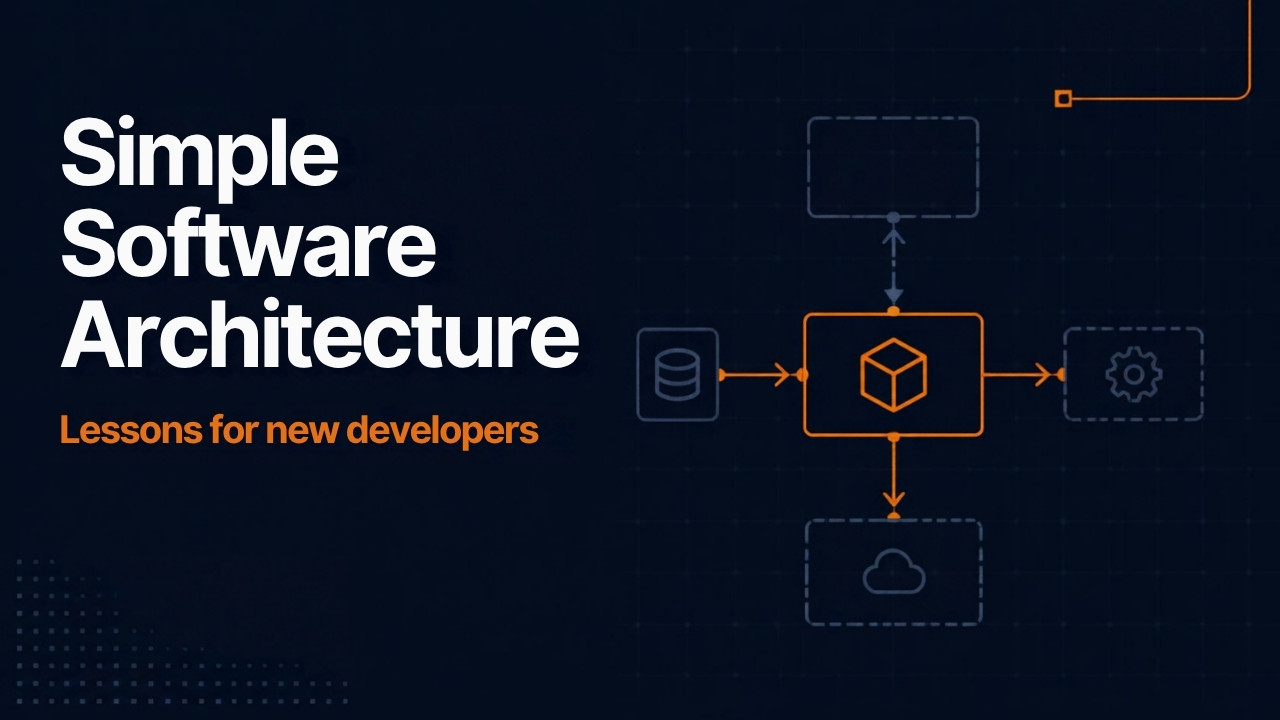
Simple Software Architecture Lessons for New Developers
Search for “software architecture” and you get a wall of boxes. Microservices, service buses, caches, queues, event hubs. If you’re a new developer, it’s easy to assume a real project needs all of them on day one. Jerry Nixon disagrees. He works on the SQL Server team at Microsoft, and his NDC Copenhagen 2025 talk makes the case for simple software architecture. Learn what every box does, then keep most of them out until you need them.
Stop asking for the best practice
Nixon spent years as a Microsoft field engineer with some of the company’s 15 largest customers. He came away tired of the phrase “best practice.” In his experience, people reach for it when they can’t defend a choice on its merits.
A pattern that worked at one company can fail at yours. Your budget, your team’s experience, a recent merger, or office politics can all change the answer. Huge companies can also afford expensive mistakes and pay their way out of them. So don’t copy a big-tech setup you heard about on a podcast.
He backs this up with a quick history. The industry moved from spaghetti code in the ’90s to layered “lasagna” apps, then to “ravioli” microservices. Apps built all three ways still run today and still pay people’s mortgages.
Simple software architecture means saying “not yet”
Nixon defines an architect as the person responsible for the most expensive choice. That’s the decision that costs the most to change later, and you have to make it now. Every stage of a project has one, so the role never ends.
The bigger half of the job is deciding what stays out. Every component you add is a new problem you have to solve. Add a service bus, and someone now has to watch the dead letter queue where failed messages pile up. Nixon’s position is that simplicity is the best architecture. His closing advice follows from it. Defer decisions as long as you can, because a late decision is cheaper to reverse.
When an architect says no to a new framework, it usually means “not right now.”
Every component in Nixon’s diagram
Nixon builds his diagram one box at a time. For each box, he names the problem it solves and the new problem it brings. He also stresses that most of these are concepts, not products. An open-source library often does the job. Here’s the full list, grouped by where each piece lives.
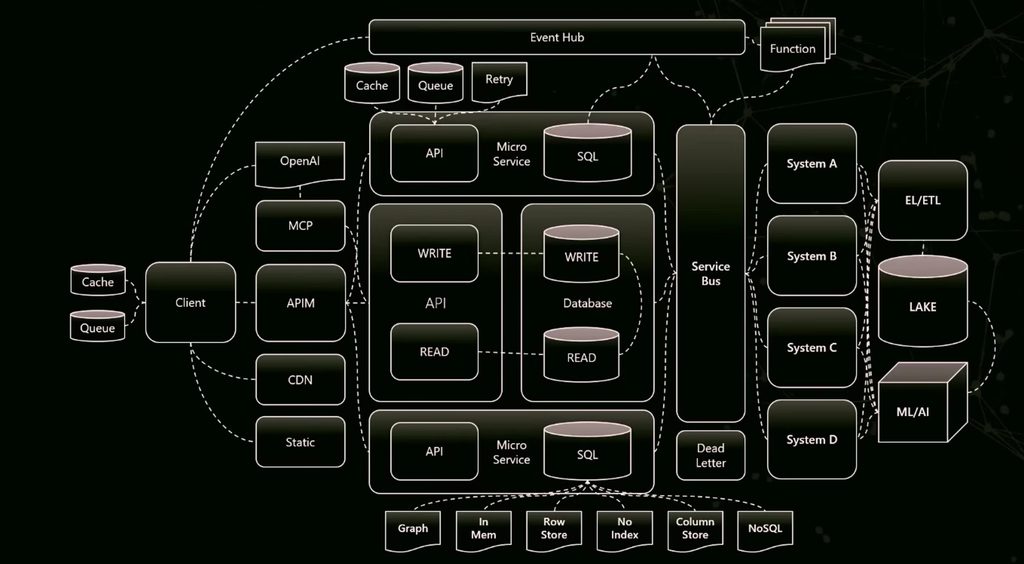
The client
Client. Every project starts here. It’s the app your users touch.
Offline cache and queue. Give the client a cache for responses and a queue for outgoing requests. If the connection drops, the app keeps working and sends the queued work later. Nixon compares it to Outlook, which doesn’t care when you drive through a tunnel.
Real-time push. Users hit refresh when they don’t know if a job finished, and every refresh hits your API and database. Instead, the back end pushes the status change to the client. Nixon leaves the transport to you, with WebSockets as one option.
Static file server. Images and other files that never change don’t need your app server. Nixon suggests serving them from a plain folder, outside any middleware, so no code runs per request.
CDN. A content delivery network copies static files to servers near your users. Someone in Denmark no longer waits on a server in the United States.
The API layer
API. A client that talks straight to the database leaks your schema into the app. It also forces app developers to write SQL. An API sits in between, so different people can own each side.
API next to the database. Database drivers need regular upgrades for speed and security fixes. If the API lives inside the client, every driver update means a client update. Move the API to the server side. The client no longer carries a driver, and the API can ship on its own schedule as long as the contract stays the same.
Telemetry. Teams usually add it last, and Nixon thinks that’s a mistake. It won’t help during development. It helps when production breaks and you need logs from separate services correlated in one place. He recommends OpenTelemetry.
Separate read and write APIs. Deploy the same API twice. Point writes at one copy and reads at the other, then scale each one on its own. This is the CQRS pattern, and Nixon says it often needs no code changes.
Multiple services. Split one large back end into a few services. Each one becomes a smaller project you can reason about and upgrade alone.
API manager. Also called an API gateway, it sits between the client and your APIs. Nixon admits it adds work at the start. It pays off at version 2, because it can route traffic between versions, run A/B tests, and translate an old payload into the new format. It also handles denial-of-service protection and load balancing. Several services can look like one API behind it.
Data API builder. Nixon works on this team, so keep that in mind. It’s a free, open-source tool that puts an API over SQL Server, PostgreSQL, MySQL, or Cosmos DB, with optional GraphQL endpoints. It ships as a container. He claims it can replace most hand-written data APIs.
Making the API resilient
Level 1 cache. Keep recent responses in the API’s memory, so a repeated request skips the database. It also stops a stampede, where thousands of identical requests arrive at once. Nixon mentions the FusionCache library. His tip for any database is simple. Query it less.
Level 2 cache. A key-value store like Redis holds results after the expensive query already ran. Each lookup is a single key read. Nixon claims even one second of caching can change how much traffic your API handles.
Retry policy. Sometimes a call times out for no clear reason. Try again. Nixon uses five retries with exponential backoff, through the SQL driver’s built-in setting or a library like Polly.
Queue. A persisted queue lets the API accept a request, tell the user it worked, and write to the database when there’s room. That beats an error message when the database is busy. Nixon’s exception is anything like a credit card charge, where the user needs the real result.
Messaging between systems
Service bus. Once you have several services, they need a way to pass messages. A service bus delivers each message to the right place, like a mail carrier. Azure Service Bus is one option, and open-source libraries work too. The same bus can connect your app to other systems in the company.
Dead letter handling. Failed messages land in a dead letter queue. Nobody deals with it unless you plan for it. If you add a service bus, you own that queue too.
Event hub. A service bus moves messages between systems. An event hub takes in a high volume of events so other parts can react. In Nixon’s example, the database itself sends change events to the hub. Nothing has to poll the database asking what changed.
Serverless function. An event hub does no work by itself. A function picks up the event, runs the logic, and sends a message to the service bus if other systems need to act.
The database
Database. Nearly every app needs one. Nixon prefers it in its own process, separate from the client.
Read replica. Almost every database can copy writes to a read-only replica on a separate machine. Heavy reads then can’t slow down your writes. The cost is eventual consistency. The replica lags slightly, so a read right after a write can return the old value.
Row store. The default table format. Rows sit side by side, a bit like a spreadsheet.
Column store. In SQL Server it’s a table option, not a separate install. Nixon cites about 100 times faster aggregate queries and much smaller tables, and your SQL stays the same. He also warns against converting every table.
Table without an index. A primary key creates a clustered index that keeps rows in physical order. Random keys like GUIDs force the table to reshuffle on insert. A table with no index takes writes as fast as possible. You also lose the constraints that make relational data safe, so research it first.
In-memory table. The table lives in RAM. One version loses its data when the server restarts. The other also writes to disk, which slows writes but keeps reads fast.
Graph tables. Store relationships and query paths inside the relational database you already have. Nixon’s example finds the cheapest or fastest route from a factory through warehouses to a distribution center.
JSON documents. Sometimes you want to keep a whole payload instead of throwing away the fields you didn’t map. SQL Server stores JSON in a binary format, so you can read and change single properties without loading the whole document.
Data, AI, and security
Data lake. An ETL or ELT process copies data from all your systems into one place. Reports run there instead of against each app’s database.
Machine learning. ML jobs run against the lake, for example to recommend products. Nixon insists the results flow back into your apps. Otherwise they only improve dashboards.
AI model. Let a provider host the model, such as Azure OpenAI, and connect your client to it.
Remote MCP server. The model reaches your data through an MCP server, and the MCP server calls your API. Nixon is blunt here. Never let a model write SQL and run it against your database.
Identity and JWTs. An identity provider like Microsoft Entra ID issues a signed JSON Web Token. Nixon suggests keeping broad roles in the provider. Your app then issues its own token with fine-grained permissions for its screens and features. He also calls this one of the most dangerous things to get wrong.
Key takeaways
- Treat “best practice” as a warning sign, because a pattern that worked at a huge company may not fit your budget, team, or deadline.
- An architect owns the decision that is most expensive to change later.
- Every component you add brings a new problem, so keeping things out is most of the job.
- Read/write separation, caching, and retries are cheap wins, but each one has a tradeoff you need to understand.
- Defer decisions as long as you can, since a late decision is cheaper to reverse.
Conclusion
Nixon’s final diagram has a lot of boxes, and he can defend every one. He wants you to understand each box well enough to argue it out of your system. Start small. Add a component when a real problem demands it, and keep simple software architecture as your default.
Credit: this post summarizes Jerry Nixon’s talk “Modern Architecture 101 for New Engineers & Forgetful Experts,” recorded at NDC Copenhagen 2025. The ideas and examples are his. Watch the full talk on YouTube.