Session-Based Authentication in Node.js: Fix 4 Defaults
Your express-session login works on localhost. Then you deploy behind a load balancer, and nobody can log in. The POST to /login goes through, the password is right, and the response has no Set-Cookie header. That’s the first of four express-session defaults that are fine on your machine and wrong in production. Here’s how I set up session-based authentication in Node.js with Express 5 and a Postgres store, and the fix for each default.
What session-based authentication depends on
A session is two things. It’s a random ID in a cookie, and a row in your database keyed by that ID. The cookie only holds the ID. The user ID and any other state live on the server.
That split works if two things are true. Nobody can guess the ID. And the ID belongs to one browser, from the moment the session is created until it’s destroyed. express-session gets the first part right by default. The second part is on you, and every fix below protects it.
I started with a deliberately minimal config. It has a store, a secret from the environment, and resave: false.
app.use(
  session({
    store: new PgStore({ pool }),
    secret: env.SESSION_SECRET,
    resave: false,
  }),
);
Not every default is bad. genid builds each session ID from 24 random bytes from the crypto RNG. That covers item 20 on my production auth checklist, session ID entropy, and you get it for free. The mistake is overriding genid with something clever. Leave it alone.
The default that hurts is saveUninitialized. It’s true unless you set it, and express-session prints a deprecation warning at startup when you leave it out. With true, every request without a cookie gets a session row and a cookie. I sent a few curl requests to the homepage, and each one added a row to the session table. A crawler or a health check does that all day, and you pay to store sessions nobody uses.
Set it to false. The same curl requests then write nothing, and the warning goes away. resave has the same deprecation, which is why the config sets it explicitly.
saveUninitialized: false,Fix the cookie that never arrives behind a proxy
Next, I hardened the cookie with three settings.
cookie: {
  httpOnly: true,
  secure: true,
  sameSite: 'lax',
},
httpOnly: true is already the default. I set it anyway so the config says what the app depends on. It stops JavaScript on the page from reading the cookie, which is item 16. secure tells the browser to send the cookie only over HTTPS. It’s off by default, so you have to turn it on for production. That’s item 17.
sameSite isn’t set by default either. express-session sends no SameSite attribute, and each browser decides for itself. I set it to lax so every browser behaves the same. That’s item 22, and Lax does less than most people think. I come back to it in the CSRF section.
Then I logged in through Caddy, which I run locally as a reverse proxy. Login failed with no error. Caddy terminates TLS and talks to the Node app over plain HTTP, the same way a load balancer does in production. Express sees the protocol as http, so it treats the connection as insecure. With secure: true, express-session refuses to send the cookie, and it does it silently. The login succeeds on the server, but the browser never gets the cookie.
The fix is one line. Tell Express to trust the proxy.
app.set('trust proxy', 1);Use a number, not true. The number is how many proxies sit in front of your app. Here it’s one, Caddy. With true, Express trusts every hop in the chain, and a client can spoof X-Forwarded-For and the other forwarded headers. After the change, login worked, and the browser got its cookie.
While you’re in the config, add helmet.
import helmet from 'helmet';

app.use(helmet());
Helmet sends several headers. The one that matters here is Strict-Transport-Security. After the browser’s first HTTPS visit, it refuses to talk to your domain over plain HTTP. That’s item 14.
Stop session fixation with regenerate()
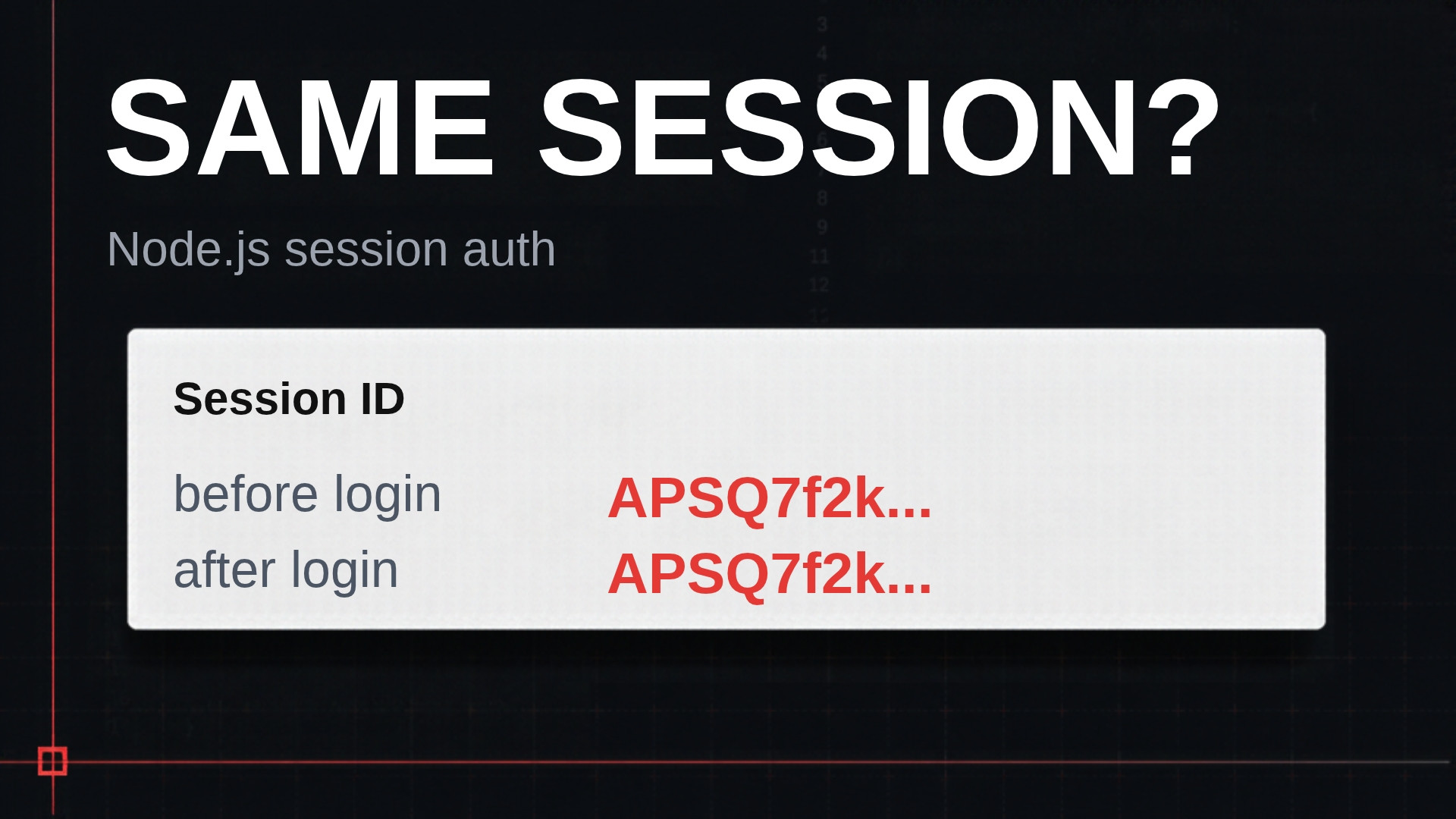
The session ID must change when you cross a trust boundary, and logging in is the biggest one. Before login you’re anonymous. After login you’re Alice. If the ID stays the same, anyone who knew the anonymous ID now has Alice’s session.
That’s session fixation. An attacker arranges for the victim’s browser to use a session ID the attacker already knows. The victim logs in, the server keeps the ID, and the attacker’s copy is now logged in too.
saveUninitialized: false only half helps. It stops the server from issuing a cookie to someone who loads the homepage and never touches the session. But look at a typical auth middleware.
if (!req.session.userId) {
  req.session.returnTo = req.originalUrl;
  return res.redirect('/login');
}
The returnTo line sends users back to the page they wanted after they log in. It also writes to the session of a user who isn’t logged in. A write creates the session, whatever saveUninitialized says. In my app, visiting the account page logged out created a session. Then I logged in as Alice, and the session ID didn’t change. The anonymous session became Alice’s session.
The fix is req.session.regenerate() in the login handler.
const returnTo = req.session.returnTo;
req.session.regenerate((err) => {
  if (err) return next(err);
  req.session.userId = user.id;
  res.redirect(returnTo ?? '/account');
});
regenerate throws away the old session and creates a new one with a new ID. Anything stored before is gone. That’s why the handler copies returnTo into a variable first. After the change, logging in gave Alice a completely new session ID. That’s item 19.
There’s a cost. Each login takes a round trip to Postgres to delete the old row and write the new one. It’s a few milliseconds and worth it. If your app stores more data before login, carry each value across by hand, the same way as returnTo.
Lock down the cookie name and add CSRF tokens
Rename the cookie with the __Host- prefix
By default, the session cookie is named connect.sid. Say the app runs on app.example.test and a marketing blog runs on blog.example.test. A page on the blog can set its own connect.sid cookie scoped to the parent domain, example.test. Now the browser holds two cookies with the same name.
express-session reads the first connect.sid in the request. You don’t control which one comes first. So the server can read a session that your login never set.
The fix is the cookie name. Note that name goes on the session options, not inside cookie.
session({
  name: '__Host-sid',
  // ...
  cookie: { httpOnly: true, secure: true, sameSite: 'lax', path: '/' },
})
The browser accepts a __Host- cookie only if it’s Secure, has Path=/, and has no Domain attribute. No Domain means the cookie is locked to the exact host that set it. The blog can’t set a cookie with that name for the parent domain, because the browser rejects it. That covers items 18 and 23. I go deeper into the prefix in AWS Cognito Without Amplify in Next.js: Just OAuth.
One gotcha. __Host- requires Secure, and express-session won’t send a secure cookie over a plain HTTP request. On plain localhost, the cookie silently won’t be set. I develop behind Caddy with real TLS on app.example.test, so dev behaves like production.
Add a CSRF token, because Lax isn’t enough
People treat SameSite=Lax as CSRF protection. It works against requests from a different domain. But Lax treats blog.example.test and app.example.test as the same site, because they share a registrable domain. So a form on any of your subdomains can post to your app, and the browser attaches the session cookie.
Here’s how that goes wrong. Alice is logged in to the app. She opens the blog, and someone has gotten content onto one of its pages. It could be a compromised WordPress plugin, a third-party script, or a subdomain whose DNS still points at a deleted bucket. That page submits a form to /account/email with a new address. The browser sends Alice’s cookie, and the server changes her email. Whoever owns the new address can then use forgot password to take the account. I covered that flow in Node.js Forgot Password Without the Account Takeover.
The fix is a CSRF token. The server puts a secret value in its own form and checks it on submit. A page on the blog can make the browser send the cookie, but it can’t read the app’s page to get the token. The forged request arrives without one, and the server returns 403.
I had Claude Code add it with this prompt.
Add CSRF protection to the Express app using csrf-csrf@4.0.3.
Tie the token to the session. Add the token as a hidden field in the
/account change-email form and validate it in POST /account/email.
Check the csrf-csrf v4 README for the current API before writing;
confirm whether cookie-parser is required and how the token binds to
req.session. On login we call req.session.regenerate, so make sure a
token minted before login is not reused after it.
Name the CSRF cookie with the __Host- prefix.
Three parts of that prompt matter. It pins version 4 and makes Claude read the README, because APIs change between major versions. It ties the token to the session ID. csrf-csrf keeps part of the token in a cookie, and a subdomain can set cookies for the parent domain. Tied to the session, a planted cookie doesn’t match Alice’s session. And the CSRF cookie gets the __Host- prefix too, so the blog can’t overwrite it.
With a valid token, the email change worked. Without it, the server returned 403 with “invalid CSRF token.” That closes item 22. Lax is the first layer, and the token stops the same-site case.
The full config
app.set('trust proxy', 1);
app.use(helmet());

app.use(
  session({
    name: '__Host-sid',
    store: new PgStore({ pool }),
    secret: env.SESSION_SECRET,
    resave: false,
    saveUninitialized: false,
    cookie: { httpOnly: true, secure: true, sameSite: 'lax', path: '/' },
  }),
);
Key takeaways
- Set
saveUninitialized: false, so anonymous requests don’t fill your session table with empty rows. - Behind a proxy or load balancer, set
trust proxyto the number of proxies you run, or a secure cookie never reaches the browser. - Call
req.session.regenerate()on login, because any write before login creates a session whose ID would otherwise survive. - Name the session cookie with the
__Host-prefix, so a sibling subdomain can’t set a cookie with the same name. - Add CSRF tokens tied to the session, because SameSite Lax does nothing against your own subdomains.
Conclusion
express-session leaves the risky decisions to you, and its defaults pick the wrong side of most of them. Session-based authentication holds up when the ID is unguessable and stays tied to one browser for its whole life. Open your login handler today and search it for regenerate. If it’s not there, add it first.