Node.js Email Verification Without the User-List Leak
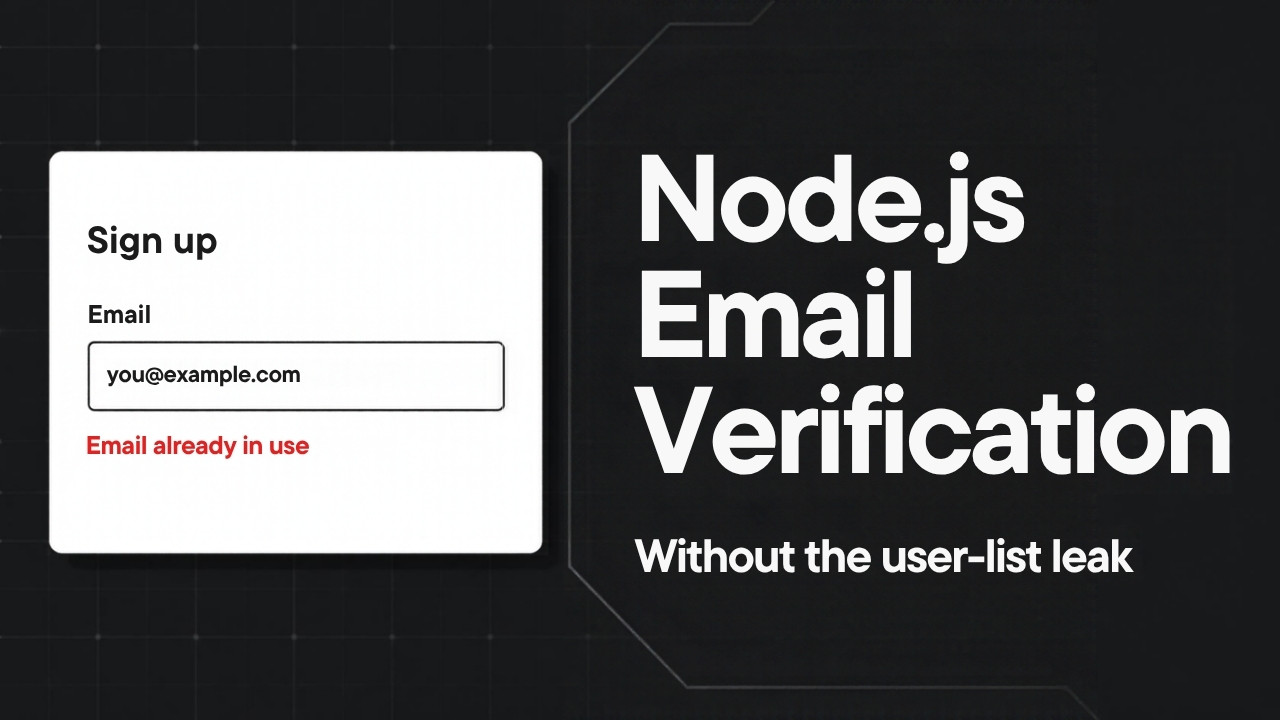
I sent a signup endpoint 500 email addresses, and it told me which 50 belong to customers. I didn’t log in. I didn’t guess a password. I read the error message, “Email already in use.” You’ve probably written that message. I have too, and it shows up in some of the most-watched Node auth tutorials on YouTube. Here’s how to build Node.js email verification that still tells a real user what they need to know. An attacker gets the same answer for every address, in the same amount of time.
Why “Email already in use” is a security bug
The tutorial version of a register handler looks up the email. If the email exists, it returns a 409 with “Email already in use.” Otherwise it hashes the password, creates the user, sends a verification email and returns a 201. I seeded 50 customers into a demo database and asked Claude Code to write an attacker script. It posts 500 addresses to the register endpoint and prints every address whose response differs from the most common one. I didn’t tell it to look for a 409. An attacker looks for any difference.
One popular tutorial repo even has a comment in its password reset function about not leaking “user not found” to the client. A little further up the same file, signup returns “Email already in use.” The reset door is locked, and the signup door is open.
This is account enumeration. An attacker starts with a list of email addresses, usually from some other site’s breach. Your signup form turns it into a list of your customers. Now the attacker knows which leaked passwords to try on your login. They can also send a phishing email that says the account is at risk and points to a fake reset page. The user believes it, because they really do have an account with you. For a dating app, a health app or a debt relief app, the membership itself is the damage. To be fair, account enumeration on its own usually gets a low severity rating, and bug bounty platforms often mark it as informative. The risk is in what comes next.
Node.js email verification that gives one answer
Here’s the rule. Every answer from the signup endpoint has to be identical whether or not the account exists. Same status code. Same body. Same headers. Same response time. The person who signed up two years ago and forgot still needs to find out. They find out from their email, not from the signup response.
So the response always says “Check your inbox to finish signing up.” A new address gets a verification link. An address that already has an account gets a different email. It says someone tried to sign up with this address, you already have an account, and here are a sign-in link and a reset link. Whoever reads that email owns the mailbox, so telling them is safe.
I kept the zod validation errors. A bad email format gets the same 400 whether or not anyone owns that address, so it leaks nothing. I also switched from 201 to 202, because the account isn’t usable until the user verifies it. The exact status code matters less than this. It has to be the same on both branches. One more consequence. Signup can’t log the user in anymore. A session cookie on the new-account branch and none on the other is the same leak, just in a cookie. The session starts when they click the link. After this change, the enumeration script found zero leaking addresses out of 500.
The timing leak most fixes miss
Measuring the gap
The response said the same thing for every address. I hadn’t touched how long it took to say it. If two code paths do different amounts of work, they take different amounts of time. An attacker sends the same request many times and compares the results. Network noise washes out with enough samples. The difference in work doesn’t.
Claude Code wrote a timing script. It alternates 100 known and 100 unknown addresses, uses each unknown address only once and throws away the first 10 requests as warm-up. It compares medians, because one slow request from a garbage collection pause can drag an average around. The median gap came out at 24.7 milliseconds, and about 28 at the 90th percentile. That gap is Argon2id. A new address gets its password hashed. A taken address never does, because the code bails out before the hash. An attacker can measure 24 milliseconds from the other side of the internet with a few thousand requests.
Doing the same work on every path
The fix has two parts. First, hash the password before the database lookup, on every request, even when the hash gets thrown away. Second, move all email sending into a BullMQ queue on Redis. The handler enqueues one job per request and returns. A separate worker process sends the emails, so the request never waits on your mail provider.
The code below shows the pattern.
const ARGON2_OPTIONS = {
  type: argon2.argon2id,
  memoryCost: 19456,
  timeCost: 2,
  parallelism: 1,
};

router.post('/auth/register', async (req, res) => {
  const parsed = registerSchema.safeParse(req.body);
  if (!parsed.success) {
    return res.status(400).json({ errors: parsed.error.issues });
  }
  const { email, password } = parsed.data;

  // Hash on every request, before the lookup, so both paths pay the same cost
  const passwordHash = await argon2.hash(password, ARGON2_OPTIONS);

  const existing = await prisma.user.findUnique({ where: { email } });

  if (existing) {
    await emailQueue.add('account-exists', { email });
  } else {
    const user = await prisma.user.create({ data: { email, passwordHash } });
    const token = await createVerificationToken(user.id);
    await emailQueue.add('verify-email', { email, token });
  }

  res.status(202).json({ message: 'Check your inbox to finish signing up.' });
});
You also need a limit on the “you already have an account” email. Without one, anyone can type a real person’s address into your signup form a thousand times and bury their inbox. But if the request handler checks Redis and skips the email, that’s a new branch with new timing. So the check goes in the worker, after the response has already gone out.
// Runs in the email worker, not in the request handler
async function sendAccountExistsOnce(email: string) {
  const key = `account-exists:${email}`;
  const isFirst = await redis.set(key, '1', 'EX', 15 * 60, 'NX');
  if (!isFirst) return; // one email per address per 15 minutes
  await sendAccountExistsEmail(email);
}
I also told Claude Code to look up the BullMQ 6 docs with Context7 first. Queue libraries change their APIs between major versions, and an agent can get a new version wrong. After the fix, the median gap dropped from 24.7 to about 3.5 milliseconds. The user and token inserts still only run on the new-account path. Three milliseconds sits inside normal network noise. The goal isn’t zero. It’s a gap too small for an attacker to measure, and I measured it instead of assuming it.
Close login and reset, then count the cost
Login and password reset
Signup was one door. Login and password reset leak the same fact. In the demo app, a known email with the wrong password returned a 401 with “Incorrect password.” An unknown email returned a 404 with “No account with that email.” An attacker doesn’t even need a script for that one.
The fix for login is one generic 401, “Invalid email or password,” for both cases. When there’s no user, the code still runs argon2.verify against a dummy hash created once at startup. On my machine a real account costs about 25 milliseconds for that verify. Without the dummy hash, an unknown address costs one database lookup and comes back almost instantly. The 403 for unverified accounts stays, but only after the password matches. Someone who knows the password learns nothing new from it.
An example of login handler.
// Created once at startup with the same Argon2id parameters
const DUMMY_HASH = await argon2.hash('never-a-real-password', ARGON2_OPTIONS);

router.post('/auth/login', async (req, res) => {
  const { email, password } = loginSchema.parse(req.body);
  const user = await prisma.user.findUnique({ where: { email } });

  // Verify against the dummy hash when there's no user, so both paths do the same work
  const valid = await argon2.verify(user?.passwordHash ?? DUMMY_HASH, password);

  if (!user || !valid) {
    return res.status(401).json({ message: 'Invalid email or password.' });
  }
  if (!user.emailVerifiedAt) {
    return res.status(403).json({ message: 'Please verify your email first.' });
  }

  res.status(200).json({ ok: true });
});
Forgot password gets simpler. The handler does no database lookup at all. It always enqueues a job and returns a 202 with “If that address has an account, we sent a reset link.” The worker decides whether there’s an account to email. Account lockout is one more door. A message that says “this account is locked” confirms the account exists, so send the generic message there too. That’s item 13 in my production auth checklist.
What this fix costs
The verification wall adds friction. Nobody can use your app until they click a link, and some people never will. If your app already makes users verify their email, the wall isn’t new, and this fix costs you almost nothing in conversion. If signup conversion is what you care about most, closing this leak may not be your highest priority.
Some users will get confused. Somebody who forgot they have an account sees “check your inbox” instead of a clear error. Most will find the email. Some will open a support ticket, so your support team needs to know how this flow works.
Every probe now sends a real email. The 15-minute limit protects one person’s inbox. It does nothing for your sending quota when someone hits signup with fifty thousand different addresses. You need rate limiting on the endpoint too, per IP and per address. That’s item 12 in the checklist, and this fix isn’t finished without it. Sometimes fixing the leak isn’t worth it. If membership in your app reveals nothing about anyone, and you already rate limit the endpoint, a friendly “email already in use” is a reasonable trade. That’s your call. Don’t ship the fix just because I showed it, and don’t skip it just because some other tutorial did.
Run the check on your own app
Take an address you know is registered and one you know isn’t. Send both to your signup endpoint and diff the output. Run this against a dev or staging copy, because the unknown address creates a real account and sends a real email.
curl -s -i -X POST http://localhost:3000/auth/register \
  -H 'Content-Type: application/json' \
  -d '{"email":"known@example.com","password":"curl-check-password-2026"}' \
  > known.txt

curl -s -i -X POST http://localhost:3000/auth/register \
  -H 'Content-Type: application/json' \
  -d '{"email":"nobody-1234@example.com","password":"curl-check-password-2026"}' \
  > unknown.txt

diff known.txt unknown.txt
Then do the same for login and password reset. If anything differs apart from the date, you’ve found the first half. Then send each request a hundred times and compare the medians. Mine started almost 25 milliseconds apart. If yours is more than a few milliseconds, you’ve found the second half. That’s the half that survives code review, because nothing in the diff looks wrong.
Key takeaways
- An error like “Email already in use” turns your signup form into a tool that confirms which addresses belong to your customers.
- The signup response should be identical for every address, and the honest answer goes to the user’s inbox instead.
- Matching the message isn’t enough, because a password hash on only one path creates a timing gap an attacker can measure.
- Hash on every request, send email from a queue worker, and put the per-address email limit in the worker so it never touches response time.
- Login and password reset leak the same way, and the fix still needs rate limiting before it’s finished.
Conclusion
An attacker doesn’t need to break in to learn who your customers are. They only need your app to answer differently, in words or in milliseconds. Node.js email verification done this way gives everyone the same reply and moves the real answer to the inbox. Measure it on your own endpoints, and grab the free checklist for the rate limiting that comes next.