AWS Cognito Without Amplify in Next.js: Just OAuth
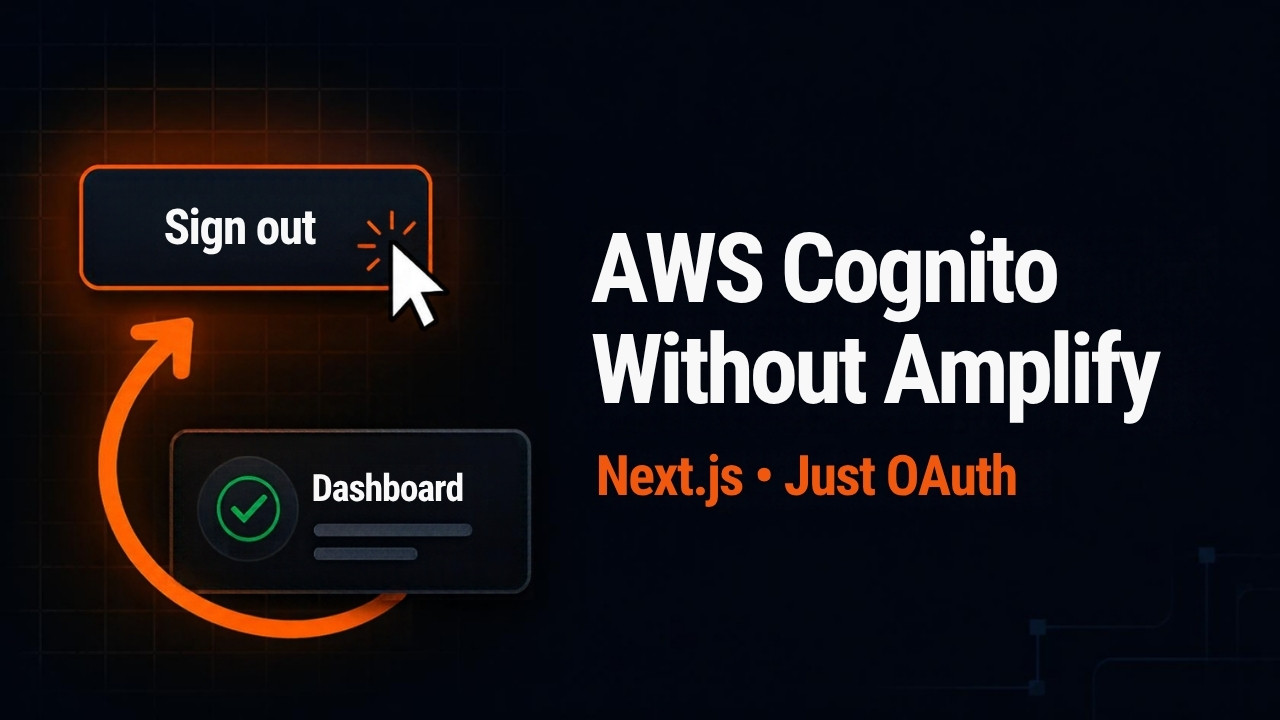
I signed out of my Next.js app, clicked Sign in, and landed right back on the dashboard. No password, no MFA code. My logout deleted the session row in Postgres and cleared the cookie, and it still wasn’t enough. The app had a second session that I never wrote, and it belonged to Cognito. Here’s how to run AWS Cognito without Amplify in Next.js, write the OAuth flow by hand, and make sign out end both sessions.
Why sign out leaves you signed in
When you sign in through Cognito’s managed login, Cognito sets a cookie on its own domain. That cookie is Cognito’s session. While it’s alive, any trip to Cognito’s authorize endpoint comes straight back with a fresh authorization code. Cognito skips the login form, because it already knows who you are.
So my Sign in button sent me to Cognito. Cognito saw its cookie and handed my app a new code. My app did exactly what it should with a valid code. It made a new session. If your users sign in on a public computer, the next person who clicks Sign in gets their account.
Here’s the model to keep in mind. Login creates two sessions. Mine lives in Postgres, and the browser holds a random ID for it in a cookie on my domain. Cognito’s lives on Cognito’s domain. My app can’t read it or delete it. All it can do is send the browser to an endpoint that ends it. So logout has to end both.
The tokens never reach the browser. The browser goes to Cognito’s authorize endpoint, and Cognito sends a code back to my server. My server exchanges the code for tokens, checks the ID token against Cognito’s public keys, and revokes the refresh token. The browser only gets one cookie with a random string in it. That’s the backend-for-frontend pattern.
I did keep one library, aws-jwt-verify. It’s AWS’s own package, and all it does is verify tokens. Hand-written JWT verification is where things usually go wrong. People skip the audience check, or they call decode when they meant verify. So I wrote the OAuth part by hand with Claude Code’s help and left the crypto to a library built for it.
Set up the Cognito app client
Create an app client and pick Traditional web application. That template gives you a client secret, because your server exchanges the code for tokens and needs the secret to do it. A single-page application doesn’t even offer one. Set the return URL to http://localhost:3000/auth/callback. Cognito accepts plain http on localhost for development. Production uses https, and it gets its own user pool. Keep your dev and production pools separate.
Then edit the client. Under authentication flows, I turned off choice-based sign-in and secure remote password and kept only ALLOW_REFRESH_TOKEN_AUTH. That’s the only flow this app uses. Make sure token revocation is enabled too, because the callback revokes a token.
On Login pages, add an allowed sign-out URL of http://localhost:3000/, with the trailing slash. Keep the Cognito user pool as the identity provider, use the authorization code grant, and keep the openid and email scopes. Managed login stays unavailable until you create a managed login style for the app client. Under Branding, Domain shows where your login page lives. The AWS domain is fine for development. In production you can use your own domain, so users don’t feel like they’re leaving your site.
Building Cognito without Amplify: login, callback, and session
Login with state and PKCE
The login route generates a state value and a PKCE code verifier, 32 random bytes each. It stores both in one short-lived cookie and redirects to Cognito with the verifier’s hash. I spelled out every cookie attribute and query parameter in the Claude Code prompt, because those are the security decisions. Claude wrote the code around them.
// app/auth/login/route.ts
import { createHash, randomBytes } from 'node:crypto';
import { NextResponse } from 'next/server';
import { env } from '@/lib/env';

export async function GET() {
  const state = randomBytes(32).toString('base64url');
  const verifier = randomBytes(32).toString('base64url');
  const challenge = createHash('sha256').update(verifier).digest('base64url');

  const url = new URL('/oauth2/authorize', env.COGNITO_DOMAIN);
  url.search = new URLSearchParams({
    response_type: 'code',
    client_id: env.COGNITO_CLIENT_ID,
    redirect_uri: `${env.APP_URL}/auth/callback`,
    scope: 'openid email',
    state,
    code_challenge: challenge,
    code_challenge_method: 'S256',
  }).toString();

  const res = NextResponse.redirect(url);
  res.cookies.set('__Host-oauth', JSON.stringify({ state, verifier }), {
    httpOnly: true,
    secure: true,
    sameSite: 'lax',
    path: '/',
    maxAge: 600,
  });
  return res;
}
PKCE ties the code to my server. Cognito only sees the hash, so someone who steals the code from the URL can’t use it without the verifier. State does a different job. It stops an attacker from finishing their own login inside your browser. The cookie is SameSite=Lax on purpose. Cognito’s redirect back is a navigation from another site, and a Strict cookie wouldn’t come along. Every login would fail the state check.
The callback
The callback checks the state, then exchanges the code. The token request is a form-encoded POST with an HTTP Basic header built from the client ID and secret. That’s standard OAuth 2.0, whatever identity provider you use. It runs on the server, so the secret never leaves it.
// app/auth/callback/route.ts (the core of it)
const idTokenVerifier = CognitoJwtVerifier.create({
  userPoolId: env.COGNITO_USER_POOL_ID,
  tokenUse: 'id',
  clientId: env.COGNITO_CLIENT_ID,
});

const basicAuth = `Basic ${Buffer.from(
  `${env.COGNITO_CLIENT_ID}:${env.COGNITO_CLIENT_SECRET}`,
).toString('base64')}`;

const tokenRes = await fetch(`${env.COGNITO_DOMAIN}/oauth2/token`, {
  method: 'POST',
  headers: {
    'Content-Type': 'application/x-www-form-urlencoded',
    Authorization: basicAuth,
  },
  body: new URLSearchParams({
    grant_type: 'authorization_code',
    code,
    redirect_uri: `${env.APP_URL}/auth/callback`,
    code_verifier: saved.verifier,
    client_id: env.COGNITO_CLIENT_ID,
  }),
});
const tokens = await tokenRes.json();
const claims = await idTokenVerifier.verify(tokens.id_token);

// The app never calls AWS with these tokens, so it doesn't keep them
await fetch(`${env.COGNITO_DOMAIN}/oauth2/revoke`, {
  method: 'POST',
  headers: {
    'Content-Type': 'application/x-www-form-urlencoded',
    Authorization: basicAuth,
  },
  body: new URLSearchParams({ token: tokens.refresh_token }),
});

const user = await prisma.user.upsert({
  where: { cognitoSub: claims.sub },
  update: { email: String(claims.email) },
  create: { cognitoSub: claims.sub, email: String(claims.email) },
});
const sessionId = await createSession(user.id);
The verifier is created once at module scope, so it caches Cognito’s public keys between requests. It checks the signature, the issuer, the audience against my client ID, the expiry, and that this is an ID token. I use the ID token because it carries the user’s details, and I upsert the user from it. The ID token comes from OpenID Connect, which sits on top of OAuth 2.0.
Then I revoke the refresh token. This app never calls an AWS API with the access or refresh token, so it keeps neither. A token I never store can’t leak from my database. If your app does call APIs with the access token, keep it server-side and encrypted.
The session ID is 32 random bytes. The database stores only its SHA-256 hash, so a leaked backup doesn’t hand anyone a working cookie. The cookie name is __Host-session. The browser refuses to store a cookie with that prefix unless it’s Secure, has Path=/, and has no Domain. So no subdomain can set or overwrite it.
The session check
Without a check, /dashboard renders for anyone. requireSession reads the cookie, hashes it, and looks up the session. It runs two clocks. The idle timeout ends a session nobody has touched for 30 minutes. The absolute timeout ends it 8 hours after login, however busy it is. A stolen cookie that a script replays every five minutes stays busy forever, so the idle clock alone never stops it.
// lib/session.ts
const IDLE_MS = 30 * 60 * 1000;

export const requireSession = cache(async () => {
  const raw = (await cookies()).get('__Host-session')?.value;
  if (!raw) redirect('/');

  const session = await prisma.session.findUnique({
    where: { tokenHash: sha256(raw) },
    include: { user: true },
  });
  if (!session) redirect('/');

  const now = Date.now();
  const expired = session.expiresAt.getTime() <= now;
  const idle = now - session.lastSeenAt.getTime() > IDLE_MS;
  if (expired || idle) {
    await prisma.session.delete({ where: { id: session.id } });
    redirect('/');
  }

  await prisma.session.update({
    where: { id: session.id },
    data: { lastSeenAt: new Date() },
  });
  return { session, user: session.user };
});
Both checks run on the server, against the database. A Max-Age on the cookie is only an instruction to the browser, and an attacker holding your cookie isn’t using a browser. React’s cache means three components calling requireSession on one page cost one query.
I also told Claude Code not to create proxy.ts. Next.js 16 renamed middleware to proxy, and the docs say not to rely on it alone for auth. Server Actions don’t go through it as separate routes, so one matcher change can leave them unprotected. In March 2025, CVE-2025-29927 let attackers skip Next.js middleware with a single request header. So the check sits next to the data.
A logout that ends both sessions
My first signOut did what most apps do. It’s a server action behind a form, so logout is a POST. Next.js compares the Origin header to the host on every server action, so another site can’t sign your users out with an image tag. It deleted the session row and the cookie. Then I clicked Sign in and landed on the dashboard with no login form and no MFA prompt.
The fix is one redirect. After deleting the row and the cookie, send the browser to Cognito’s /logout endpoint with the client ID and a logout URI. The URI has to match the allowed sign-out URL exactly, trailing slash included, or Cognito refuses it. Cognito clears its cookie and sends the browser back home.
// app/auth/actions.ts
'use server';

export async function signOut() {
  const store = await cookies();
  const raw = store.get('__Host-session')?.value;

  // 1. Your session first
  if (raw) {
    await prisma.session.deleteMany({ where: { tokenHash: sha256(raw) } });
  }

  // 2. Then the cookie
  store.set('__Host-session', '', {
    httpOnly: true,
    secure: true,
    sameSite: 'lax',
    path: '/',
    maxAge: 0,
  });

  // 3. Then Cognito's session
  const url = new URL('/logout', env.COGNITO_DOMAIN);
  url.searchParams.set('client_id', env.COGNITO_CLIENT_ID);
  url.searchParams.set('logout_uri', `${env.APP_URL}/`);
  redirect(url.toString());
}
The order matters. The database row goes first, then the cookie, then the redirect. If the browser never reaches Cognito, the app is still signed out. The worst case is the silent sign-in from the start of this post. After the fix, Sign in showed the login form again.
You can check your own app in a minute, whatever you use for auth. Sign in, sign out, and click Sign in again. If you land back inside without typing a password, your logout ends only one of the two sessions. Other identity providers have their own end-session endpoint.
Key takeaways
- Signing in through Cognito’s managed login creates two sessions, one in your database and one on Cognito’s domain, and logout has to end both.
- Deleting your session row and cookie isn’t enough, because Cognito’s own cookie hands your app a fresh code on the next Sign in.
- Exchanging the code on the server with the client secret keeps every token out of the browser, which only holds a random session ID.
- Revoking the refresh token in the callback means the app stores no Cognito tokens that could leak.
- Idle and absolute timeouts belong on the server, because a cookie’s Max-Age only instructs the browser.
Conclusion
Dropping Amplify means owning every request it used to make, including the one that ends Cognito’s session. Running Cognito without Amplify takes more code, but every request is one you can read. Tokens stay on the server, the browser holds only a random ID, and sign out finally means signed out. Grab the free checklist and test the rest of your auth.